
Your needs, this model
Does it fit your priorities?
Does a 60 × 30-inch included work surface fit the room and setup you measured?
The assessed UPL406-WL-B plan includes a 60 × 30-inch top. Its four-leg frame and included desktop satisfy the selected complete-desk path, but it fails if your room allows only 59 inches of length or 29 inches of depth.
Explore this need in the finder →How many saved desk heights are useful to you?
The embedded keypad is documented with three programmable presets. A three-preset minimum fits this plan; a requirement for four saved heights does not.
Explore this need in the finder →Do you want a four-leg complete desk with four synchronized motors?
The exact UPL406 manual and manufacturer page document four legs and four synchronized motors on a complete desk. This plan is in the four-leg/included-top route; a two-leg requirement would select a different model.
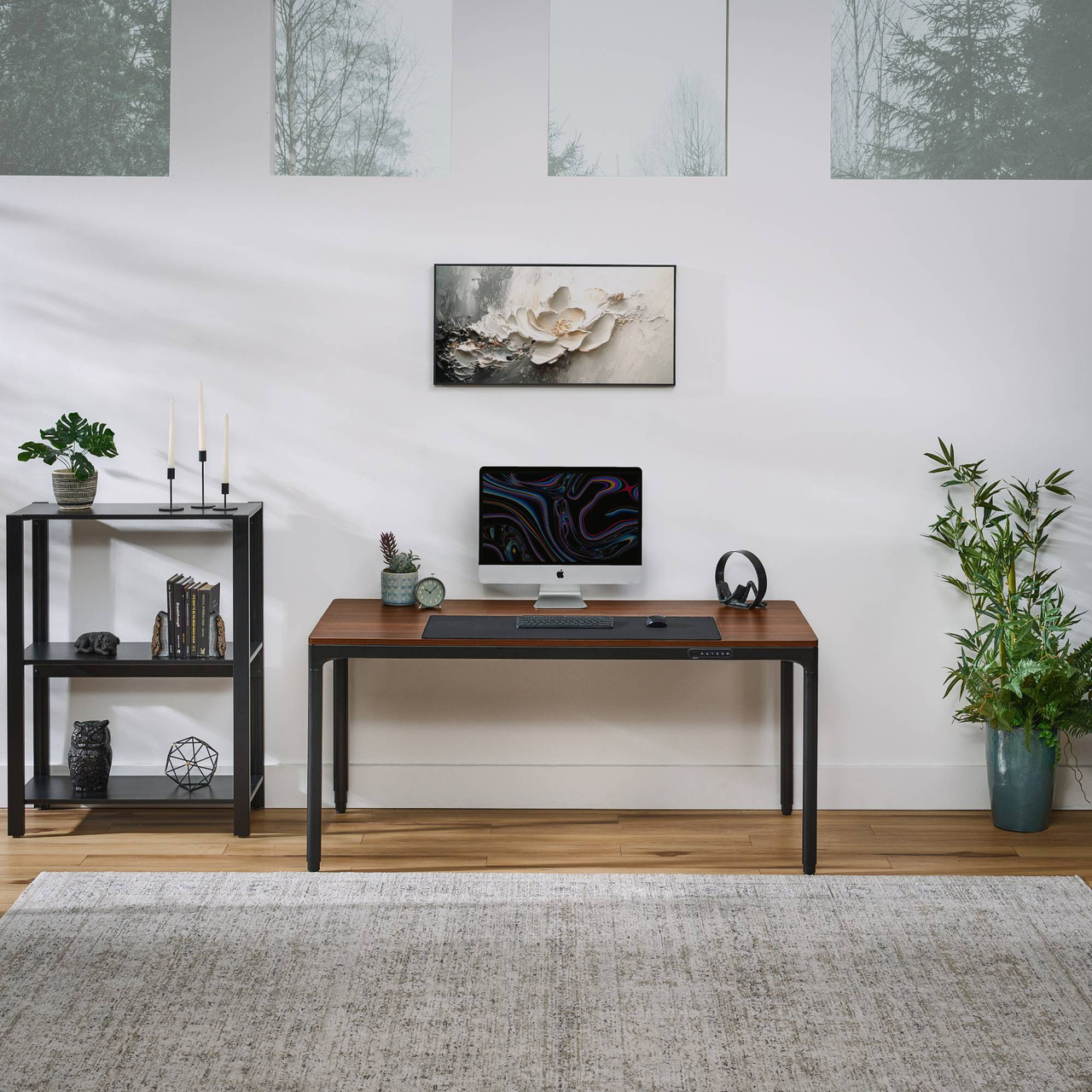
Explore this need in the finder →This review is about the current UPLIFT QuadZen UPL406 package shown on UPLIFT's U.S. page: a complete desk with a 60 × 30-inch, three-quarter-inch English Walnut laminate top, a black four-leg Parsons-style frame, an embedded keypad and a large included mousepad. That fixed generous footprint is the central choice. It gives a monitor, keyboard and writing space more room than a compact 48-inch desk, but it is too large for an alcove or narrow room where every inch of depth matters. The measurements and performance figures below are manufacturer statements, not bench tests.
Start with the 60 × 30 surface
At five feet wide and two and a half feet deep, the UPL406 needs a room that can accept the top as well as space for chair movement and the cables behind it. Measure from the wall to the front edge, including monitor stands and plugs that project past the rear. A 30-inch depth is useful for placing a large display farther from the front edge while leaving a keyboard and work area in front; it is not automatically useful if the desk blocks a door, closet or walkway. The finder treats this plan as a 60-inch top, so a measured 59-inch maximum length or a 29-inch maximum depth is a reason to look at another size rather than hope the corners can be squeezed in.
The selected surface is English Walnut laminate, not a solid-walnut slab. The manufacturer's parts diagram shows two end sections and a center section that join during setup. That matters if you expected one continuous board or need to plan around section seams. The included 35.4 × 15.7-inch black mousepad takes up a noticeable band of the working surface; it can serve as a mat for keyboard and mouse, but that leaves less bare tabletop than the headline 60 × 30 dimensions suggest. Decide whether that included accessory suits your layout before adding another mat or accessories.
Four motors and a flush-mounted control
UPLIFT identifies four synchronized motors, one in each leg, and quotes a travel speed of 1.3 inches per second. The keypad sits flush in the frame and provides three programmable memory presets, one-touch adjustment, a display and a safety lock according to the product description. Three saved positions can be convenient for a small household or a work surface shared by two people who each want seated and standing heights. If you need a fourth stored height, this exact keypad does not meet that essential requirement. Anti-collision reversal is also a manufacturer-described feature; it is not a substitute for checking the desk's full path for children, pets, chair arms or other obstacles.
The maker lists a 27.4–44.7-inch adjustment range. Because the product page and specification sheet do not separately define that figure as a finished desktop-surface range versus a frame reference, I would not use it as a pass/fail ergonomic fit without confirming the reference point for your exact installation. In the finder, the finished-surface minimum is therefore left unknown. If a particular seated height is essential, measure your own seated posture and ask UPLIFT to confirm the worktop height rather than letting an uncertain frame number decide.
Routing is integrated, but capacity needs clarification
UPLIFT describes integrated cable routing through the upper frame and a channel on a leg. The instructions also list ten cable mounts and ten hook-and-loop ties. Those features can reduce loose wiring, but they are not a closed, horizontal under-desk tray, and a leg channel will not hide every adapter or surplus lead. Map the path of each cable before raising the desk and leave enough slack for the whole stroke. The manual calls for grounded power, a reset before operation and a clearance check around the moving surface. It sets a 10-percent motor duty cycle: after two continuous minutes of motion in a 20-minute period, allow at least 18 minutes of rest.
Do not choose this desk on a required load threshold using the available numbers. The QuadZen specification sheet lists a 220-pound lifting capacity, while the exact UPL406 manual's troubleshooting section says not to exceed a 355-pound weight limit. Those statements use different wording and do not explain whether desktop mass is included or how the manual limit relates to powered lifting. The matcher consequently treats static rating and usable equipment payload as unknown. The spec sheet also lists noise below 48 dB and a five-year warranty; neither statement is an independent noise measurement, and warranty coverage is not broken down there by component.
Who should compare another desk?
Choose the QuadZen UPL406 if a complete 60 × 30 laminate desk, four-leg movement, three keypad presets and built-in cable routing match your room and work routine. The included top and mousepad make this a more specified package than a frame-only listing; this review does not assume that optional add-ons shown elsewhere on the site are included. Its black four-leg outline and walnut-look surface also create a more substantial visual block than an open two-leg C-frame.
Compare the separately reviewed UPLIFT Parsons 60 × 30 configuration if you want the same broad top footprint but prefer a different frame arrangement, and the smaller Parsons 48 × 24 plan when room depth is the constraint. A V3 four-leg configuration may fit users seeking another four-corner layout, but its separately assessed desktop size, control and advertised height limits differ; do not transfer QuadZen figures between them. If solid wood is essential, compare the Vari Solid Wood 60 × 30 instead of treating “English Walnut” as a species. If your room cannot accept 60 × 30, you need a published static-load basis, a surface height lower than UPLIFT confirms for the completed setup, or four saved positions, this exact UPL406 plan is not the right fit.
Sources: UPLIFT QuadZen Standing Desk product page; UPLIFT UPL406 assembly and programming instructions; UPLIFT UPL406 specification sheet.
Key details at a glance
| Leg count | 4 |
|---|---|
| Motor count | 4 |
| Minimum supported desktop width | 30 in |
| Maximum supported desktop width | 30 in |
| Minimum supported desktop depth | 30 in |
| Maximum supported desktop depth | 30 in |
| Programmable height presets | 3 |
| Cable tray included | No |
| Magnetic fabric cable cover included | No |
| Frame layout | rectangular |
| Built-in AC/USB power panel | No |
| Documented desktop material | laminate |
Use the exact model’s instructions for operating limits, supplied equipment and version differences.
Paper, software and setup details
Desktop and configuration note
The current UPL406-WL-B page selection is a complete desk with a 60 × 30 × 0.75-inch English Walnut laminate surface and an included 35.4 × 15.7-inch black mousepad. UPLIFT calls the finish English Walnut; it is laminate, not solid walnut. The manual's parts diagram shows two end sections and a center section. Optional accessories or other products shown elsewhere are not assumed included.
Load-rating interpretation
A 220 lb lifting-capacity statement appears on the exact product page and specification sheet; the exact UPL406 troubleshooting instructions say not to exceed a 355 lb weight limit. The source basis is unresolved. A hard static-load or usable-equipment-payload requirement is not satisfied from either statement.
Operating and setup note
The current page describes four synchronized motors, an embedded keypad with three programmable presets, one-touch adjustment, a safety lock, anti-collision reversal and integrated upper-frame/leg-channel cable management. The manual calls for grounded power, an initial desk reset, clearance and cable slack throughout travel, two people to turn the desk upright and position it, and a 10% duty cycle: two continuous minutes of movement in a 20-minute interval followed by at least 18 minutes rest.
Sources for this assessment
- UPLIFT U.S. standing-desks catalogue card for QuadZen (page 1, position 7)
- UPLIFT QuadZen Standing Desk UPL406 — current U.S. product page
- UPLIFT QuadZen Standing Desk UPL406 instructions AI-UPL406-1.2, 12 pages
- UPLIFT QuadZen Standing Desk UPL406 specification sheet SP-UPL406-1.0, 1 page
- Official UPLIFT QuadZen product-scene image

Choose a desk around your real setup.
Start with whether you need a complete desk or a converter for an existing fixed desk, then choose the support layout and surface package. Add exact height, top and cable constraints only when they matter.