
Your needs, this model
Does it fit your priorities?
Can the E7 Mini frame descend to 23 inches before its tabletop is added?
Yes. FlexiSpot's E7-Mini page and manual specify a 22.8-inch minimum frame height without the desktop. Add the selected top thickness to estimate the finished surface height.
Explore this need in the finder →Does the manual support a 32-inch desktop length for the E7 Mini?
Yes. The 32 × 24-inch included laminate top falls inside the manual's 31.5–39.4-inch length and 23.6–31.5-inch width bounds.
Explore this need in the finder →Can the E7 Mini be treated as a confirmed 42-inch top package?
No. Three 42 × 24-inch desktop SKUs are listed by the seller, but the linked manual's long-side maximum is 39.4 inches and the page itself gives conflicting 40- and 45-inch maxima. That exact top-to-manual bridge remains unresolved.
Explore this need in the finder →Does the manual's 352-pound load wording include the tabletop?
No. The manual identifies 352 lb as load capacity with the desktop not included, and separately says a 160 kg/353 lb reference may vary with desktop material. This is not an independently verified payload for the completed desk.
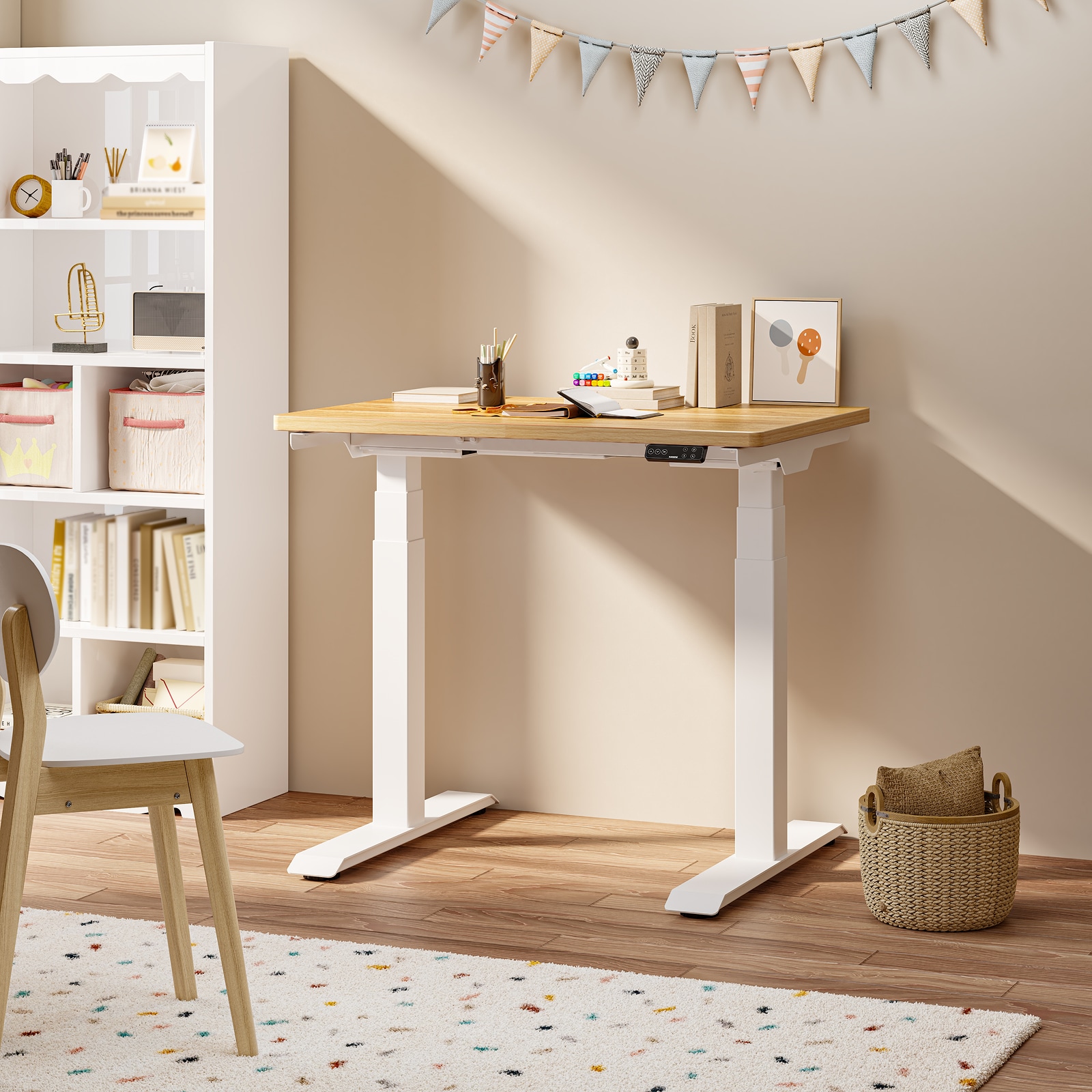
Explore this need in the finder →The FlexiSpot E7 Mini is a two-motor, two-leg electric frame sold on its US page either by itself or with an optional compact rectangular top. It is not simply an E7 with a smaller name: its crossbar is much narrower, and the exact tabletop choices need a closer fit check than the selector alone suggests. I assessed the current US page, its enabled frame and desktop SKU rows, and the linked E7-Mini manual. This is a document-based review, not a hands-on noise, wobble or lifting test.
A genuinely compact frame, with a low bare starting point
The model page gives the frame a 29.9-to-36.1-inch adjustable width and a 22.8-to-48.4-inch height range without the top; the manual repeats those limits. That narrow support frame may help in a shallow alcove or between fixed cabinets, but measure the feet and tabletop separately. Its small-space purpose is the main difference from the full-width E7, not an assurance that every room or chair will fit.
Height needs a similar distinction. The 22.8-inch figure is the bare frame, not the final surface. The included 32-by-24-inch laminate top is one inch thick, so the nominal surface minimum is about 23.8 inches. Check seated knee and elbow clearance at the complete setup. The 48.4-inch endpoint is also a frame figure; add the top thickness when estimating the upper working surface.
Frame-only is clear; the 32-inch top is the confirmed package
The selector requires a frame but marks the desktop as optional. Black E7B_Mini and white E7W_Mini are frame-only SKUs. The manual supports a customer-supplied top 31.5–39.4 inches long, 23.6–31.5 inches wide and at least 0.7 inch thick. It also requires a sufficiently strong top, limits the support plate to 200 millimeters from the edge and says not to extend the support beam beyond its stop.
Three 32-by-24-inch laminate SKUs—CBR3224B-Mini, CBR3224W-Mini and CBR3224M-Mini—are black, white and maple; the seller describes a particleboard core, 1-inch thickness and 17.2-pound top weight. This size fits the manual. The page also lists three 42-by-24-inch tops, but 42 inches exceeds the manual's 39.4-inch maximum. Page copy disagrees with itself too: one comparison says 40 inches and a detail table says 45. No exact explanation bridges the difference, so resolve it with FlexiSpot before treating 42 inches as a supported package.
Capacity and controls without the sales shorthand
The page labels its figure a 352-pound maximum static load. The manual lists 352 pounds with the desktop not included, then separately gives a 160-kilogram/353-pound reference that may vary by desktop material. These are manufacturer ratings, not independent tests or a dynamic lifting rating. Account for the top and equipment rather than treating 352 as a guaranteed completed-desk payload.
The manual identifies two lifting columns in a three-stage design; the page lists dual motors and a maximum 1.97 inches per second. The keypad has four saved positions, a display, child lock and USB-C. Collision sensitivity is adjustable, but the manual says rebound depends on contact and conditions; it is not contact-free protection. Keep objects and cables clear, and observe the two-minutes-on/eighteen-minutes-off duty cycle.
Where the compromises show
A 24-inch-deep top gives less front-to-back room than the larger surfaces supported by the standard E7. Check that your monitor stand, keyboard and writing area coexist. Marketing claims about quiet or stability are not independent measurements, and the manual's parts list does not establish that a dedicated cable tray is supplied. Verify the exact order if a tray is essential.
For assembly, the manual recommends a helper and a foam work surface; a Phillips screwdriver or drill is not included. Follow its crossbeam and bracket sequence, keep wires long enough for the full lift, and check custom-top strength and mounting positions before drilling.
Who should compare another frame?
Choose the E7 Mini when the short frame width is the constraint, the 22.8-inch bare minimum is useful, and a 32-by-24-inch surface or a carefully measured custom top covers the work. A frame-only buyer should check each dimension and mounting location against the manual. If you need a wider or deeper rectangular work surface, compare the regular FlexiSpot E7, whose reviewed frame supports a larger top envelope, or the E7 Pro if its covered cable tray matters and its higher minimum height works for you. The Mini is not the choice to make by relying on the unresolved 42-inch selector option. Its strongest case is a very specific one: a narrower footprint with a low bare-frame start, after the actual top and finished working height have been checked.
Key details at a glance
| Minimum frame height without desktop | 22.8 in |
|---|---|
| Maximum frame height without desktop | 48.4 in |
| Published maximum static-load rating | 352 lb |
| Leg count | 2 |
| Motor count | 2 |
| Narrowest frame width | 29.9 in |
| Widest frame width | 36.1 in |
| Minimum supported desktop width | 31.5 in |
| Maximum supported desktop width | 39.4 in |
| Minimum supported desktop depth | 23.6 in |
| Maximum supported desktop depth | 31.5 in |
| Programmable height presets | 4 |
| Published frame and mechanism warranty | 15 years |
| Frame layout | two-leg |
Use the exact model’s instructions for operating limits, supplied equipment and version differences.
Paper, software and setup details
Load-rating interpretation
The current US page explicitly labels 352 lb as Max. Static Load. The model-specific manual calls 352 lb load capacity with desktop not included and later says its 160 kg/353 lb reference rating may vary with desktop material. Keep 352 as the published static field, not a lab measurement or a dynamic lift rating; do not imply that the desktop mass is included.
Operating and setup note
The product page says dual motor, maximum 1.97 in/s, four memory positions, child lock, USB-C and 15-year electric-frame/mechanism warranty. Speed and promotional stability wording are manufacturer statements, not independent measurements. The manual's collision rebound is conditional rather than contact-free protection, and it specifies a 2 min on/18 min off duty cycle. The product manual does not specify that a cable tray is included, so tray fields remain unknown.
Sources for this assessment
Choose a desk around your real setup.
Start with whether you need a complete desk or a converter for an existing fixed desk, then choose the support layout and surface package. Add exact height, top and cable constraints only when they matter.