
Your needs, this model
Does it fit your priorities?
Does the current US Q8 configuration include a work surface rather than a frame-only purchase?
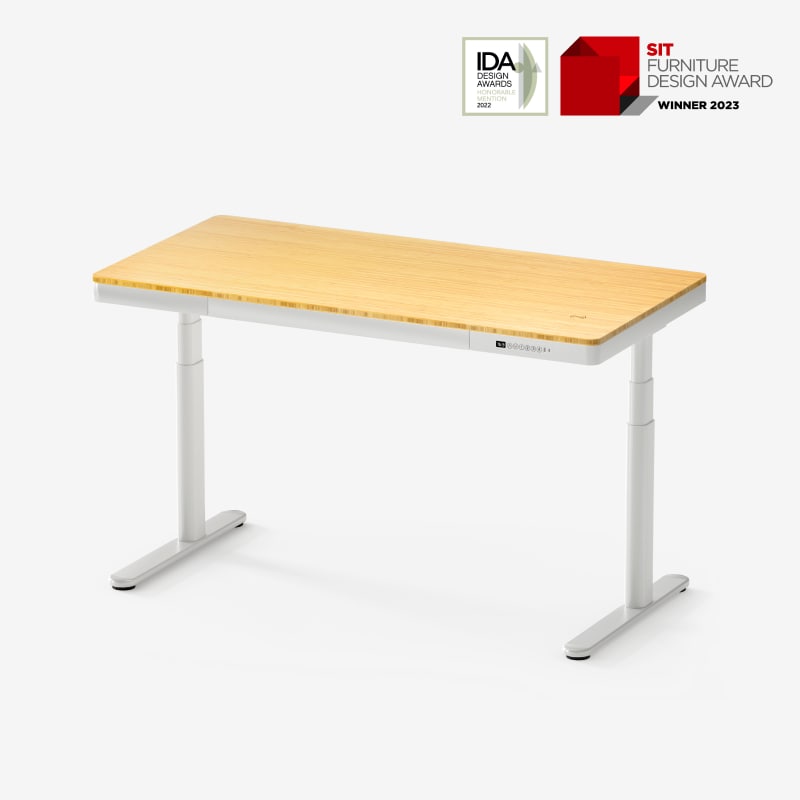
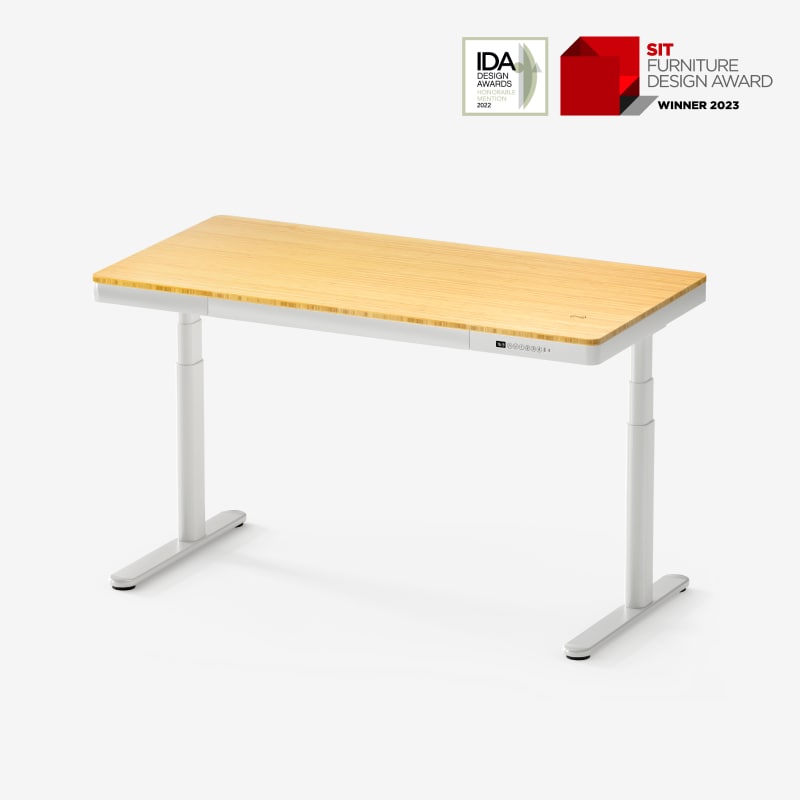
Yes. The enabled Q8W selector is a complete desk with a white frame and a 55 × 28 in bamboo top; the reviewed configuration is not frame-only.
Explore this need in the finder →Can a user require a desk drawer built into the Q8 work surface?
Yes. FlexiSpot describes a built-in drawer, lists its approximate dimensions as 28.3 × 12.8 × 1.97 in, and the linked manual illustrates the integrated desktop/drawer construction.
Explore this need in the finder →Does the Q8 include charging hardware on the desk itself?
Yes. The exact Q8 page and manual document an integrated wireless charging point rated 10 W, as well as a Type-A and Type-C port rated 18 W and 45 W respectively.
Explore this need in the finder →Is a dedicated cable tray part of the Q8 package?
Yes. The directly linked manual includes one cable tray and a cable holder in its parts list; it does not identify a magnetic fabric tray cover.
Explore this need in the finder →The FlexiSpot Comhar Pro Q8 is better understood as a complete, feature-integrated desk than as a frame to build around. The current US listing identifies the model as Q8 and exposes an enabled Q8W configuration: a white frame with a 55-by-28-inch bamboo desktop, built-in drawer, cable tray, USB charging and a wireless-charging point. I checked that listing against its directly linked Q8 manual. This is a source-based assessment, not a hands-on test of movement, wobble, noise or charging speed.
A fixed, ready-made work surface
The current Q8W selector combines the frame and the desktop rather than offering a frame-only starting point. The manufacturer calls the top 55 by 28 inches in both the SKU record and its manual; the product specification rounds the long dimension to 55.1 inches. Treat it as a nominal 55-inch top and measure the room for the full footprint. That is a useful conventional work area, but it is not a compact custom-top platform. If your room only fits a short return or you already own a desktop with exact mounting requirements, a separate frame gives you more flexibility.
FlexiSpot specifies an adjustable 23.6-to-48.8-inch range with the top installed. This is the finished surface range, not a bare-frame measurement, and the page/manual do not give a matching frame-only endpoint. Add your chair, keyboard and footwear to the low setting check, and compare the upper setting with your own standing position. The desk uses two motors in three-stage oval legs; the manual lists 1.5 inches per second. That is a manufacturer figure, not an independent sound or movement test.
What the integrated features change
The bamboo surface has a built-in wireless charging point rated at 10 watts. It is convenient only if your phone or other device supports wireless charging and you can place it over the marked spot. The manual notes that charging stops while the desk is moving and resumes after it is stationary. A Type-A port is rated at 18 watts and a Type-C port at 45 watts; these are charging connections, not a replacement for planning outlets for a monitor, computer and other equipment.
An under-top drawer is listed as 28.3 by 12.8 by 1.97 inches. It can keep small items close without adding a separate cabinet, but it does occupy the space below the work surface. Check knee clearance and the way the drawer affects your preferred sitting position rather than assuming it will suit every chair or user. The manual also lists a cable tray, cable holder and baffle, so the Q8 has more built-in wire organization than a bare frame. The product description identifies a block intended to support a monitor arm; it does not establish that every clamp or arm will fit, so check the mount's instructions and clearance before relying on it.
Capacity, controls and setup limits
The current product page and linked manual both state a 220-pound (100-kilogram) maximum load. Neither source clearly labels that as a static or dynamic rating or clarifies whether the desktop's own mass is included. For that reason, do not read 220 pounds as a tested payload available for equipment, and do not treat it as a verified static-load comparison. The four-position keypad has an LED display, and the manufacturer says it lacks a child-lock function. The manual describes three collision-sensitivity levels and an off setting; that is a conditional contact response, not contact-free obstacle prevention. Keep people, cords and objects out of the lift path.
The manual illustrates the included desktop, two lifting columns, two feet, cable tray, baffle, cable holder, connecting lead, a small screwdriver, a plastic block and adhesive. It recommends working on a protective foam surface and getting another person to help. Its 15-to-30-minute assembly estimate is the maker's estimate, not my measured setup time. Follow the included sequence and unplug the desk before cleaning; keep liquid away from the electrical parts.
There is a warranty discrepancy worth resolving before purchase. The current US product page's warranty panel says 15 years for the electric desk frame, motor and mechanisms and for controller/electronics. The linked manual's general warranty section instead describes a five-year period for desk frames, desktops and mechanisms in a category that does not identify Q8 separately. The page and manual therefore do not establish a single unambiguous Q8 term. Ask FlexiSpot which written US coverage applies to the exact Q8W order, and retain that answer.
Who should choose it—and who should compare
Choose the Q8 when you want a one-order desk with a medium-large bamboo top, built-in storage, wireless phone charging, USB ports and cable hardware, and when a 55-by-28-inch rectangle fits your room. It is less suitable if you need an explicitly confirmed static rating, a bare-frame height endpoint, a child lock, an included covered cable tray, a smaller footprint or a custom desktop. The absence of a published fact should not be treated as a negative feature; it means the exact requirement is unverified.
For a genuinely smaller setup, compare the FlexiSpot E7 Mini: its reviewed included top is only 32 by 24 inches, though it is a separate frame-and-top package rather than the Q8's integrated set. If you want to choose a broader custom desktop, the E7 Pro is a two-leg frame alternative with its own supported top range and a magnetic cable cover. Those options involve different surfaces and manuals; do not assume that Q8's drawer, charging pad or port arrangement transfers to either one. Measure the actual desk, confirm clearance and read the exact manual before deciding that an integrated feature is worth giving up a more configurable frame.
Key details at a glance
| Leg count | 2 |
|---|---|
| Motor count | 2 |
| Minimum supported desktop width | 55 in |
| Maximum supported desktop width | 55 in |
| Minimum supported desktop depth | 28 in |
| Maximum supported desktop depth | 28 in |
| Programmable height presets | 4 |
| Cable tray included | Yes |
| Frame layout | two-leg |
| Minimum working-surface height with desktop | 23.6 in |
| Maximum working-surface height with desktop | 48.8 in |
| Built-in drawer included | Yes |
| Wireless charging built into desktop | Yes |
| Wireless charging output | 10 W |
| USB-A port maximum | 18 W |
| USB-C port C1 maximum | 45 W |
Use the exact model’s instructions for operating limits, supplied equipment and version differences.
Paper, software and setup details
Load-rating interpretation
220 lb is the published maximum-load figure only. Its static/dynamic classification and desktop-mass basis are unspecified by the examined US page/manual.
Operating and setup note
A complete, one-SKU Q8W configuration: white two-leg dual-motor frame plus a 55 × 28 in bamboo desktop, integrated drawer, 10 W wireless charging and USB Type-A/Type-C charging. The manual lists a cable tray, cable holder, baffle and monitor-arm wood block; no magnetic cable cover is documented. The keypad stores four positions and the product page lists no child lock. The manual recommends a helper and a protective foam surface, lists a screwdriver in the parts package, and shows a monitor-arm installation step that can be skipped if unused.
Sources for this assessment
Choose a desk around your real setup.
Start with whether you need a complete desk or a converter for an existing fixed desk, then choose the support layout and surface package. Add exact height, top and cable constraints only when they matter.