
On this page
Your needs, this model
Does it fit your priorities?
Do you need one raising power module and a separate covered route for a cable?
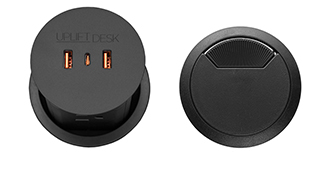
Option 16971 includes one PDC013 pop-up module and one black rotating cover; the cover is separate from the power unit and opens for cable pass-through.
Explore this need in the finder →Will this 42 × 24 inch included surface fit your wall and work layout?
This selected Walnut Laminate top is 42 inches wide and 24 inches deep; a 48-inch minimum does not fit this option.
Explore this need in the finder →Would two or more built-in outlet banks be essential?
Only one PDC013 module is selected, with four documented AC outlets. This plan does not meet a five-outlet minimum; the dual-module version has a larger count but no separate covered route.
Explore this need in the finder →Do you need one-touch memory or USB data transfer from a built-in port?
The FRM072 keypad memory count is undocumented and PDC013 USB ports are described as charging; neither an essential preset count nor desktop data transfer is established.
Explore this need in the finder →UPLIFT UPL075 42 × 24 Walnut Laminate pop-up power and cover review
This is one selected U.S. UPLIFT UPL075 plan: a 42 × 24-inch, one-inch Walnut Laminate desktop, black FRM075 wall-mounted frame, one black pop-up power module plus a separate black grommet cover (option 16971), and the black FRM072-BLK Basic Display Angled keypad. The page identifies the top SKU UPL075-walnut-lam-42x24, but not a single order SKU for the assembled desk and accessories. The difference from the nearby no-hole plan is functional: one opening brings power up when wanted, while the other remains available for a covered cable route.
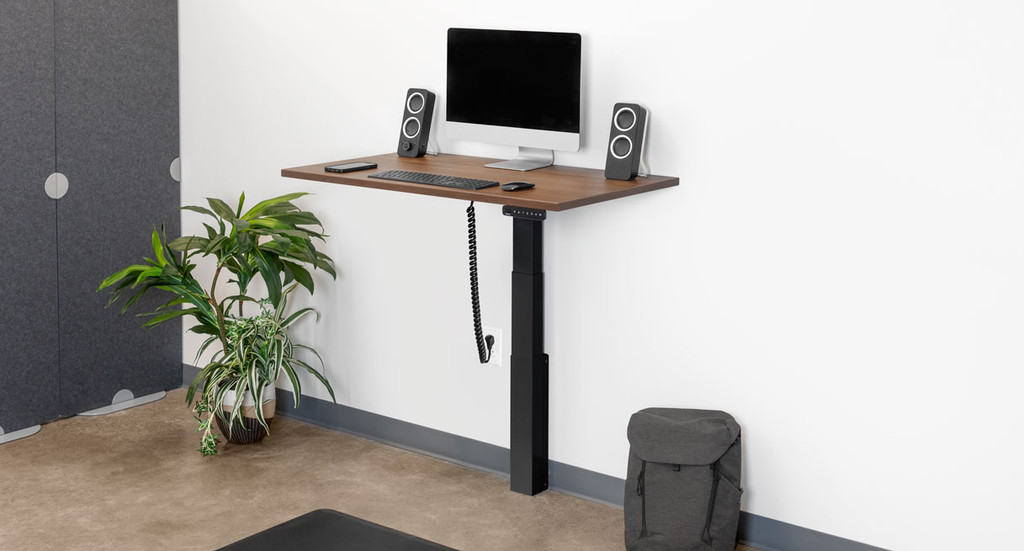
Image source and model notes
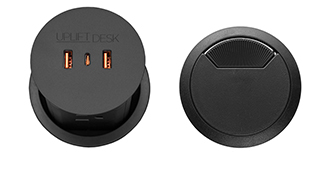
Image source and model notes
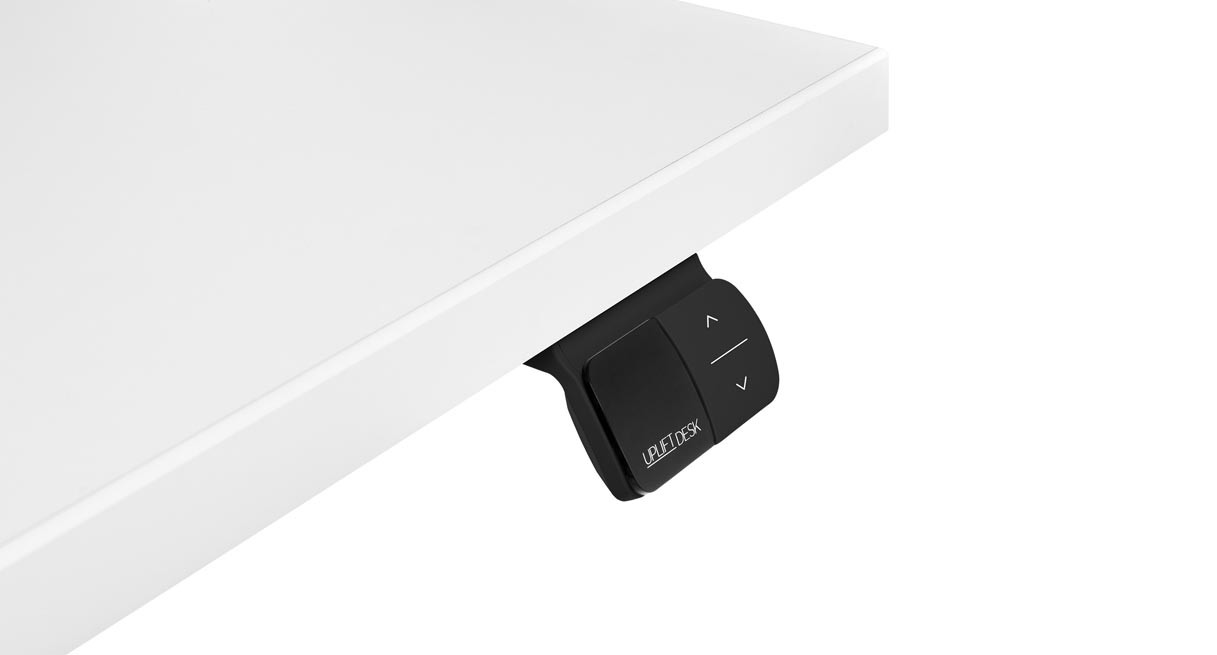
Image source and model notes
One opening for charging; one for a loose cable
The top is 42 inches across and 24 inches deep, so it is the compact-width choice in the UPL075 Walnut Laminate family. The 48 × 24 version adds six inches while preserving the same listed depth. If your screen and writing area need that extra width, select the larger plan; if your room has a narrow wall span, the 42-inch top is worth measuring against the actual equipment. Do not estimate the fit from the gallery image: it is an UPL075 family view, not a verified photograph of this selected top.
Option 16971 combines one Pop Up Power module and one cover. UPLIFT describes its power modules as rising from the desktop and its grommet covers as rotating open for wire pass-through. The existing cover opening can carry a cord instead of occupying both openings with power modules. This plan therefore gives up the second outlet bank of the dual-PDC013 selection in exchange for a separate cable route. The cover is not another outlet, a storage cup, or a substitute for the powered grommet.
The selected PDC013 specification lists four grounded AC outlets, two USB-A charging ports and one USB-C charging port on that single module. It specifies a maximum module input of 1875 watts, 15 amps and 125 volts, and a six-foot cord; that is the module’s published rating, not a promise about the desk motor’s total electrical allowance or simultaneous charging output. The sources do not establish USB data transfer, a total USB watt budget for this entire desk, or how a busy workspace should divide a shared household circuit. If you need a documented data connection or a system-wide power budget, this configuration does not answer that requirement.
The wall and the moving cords remain the hard constraints
The FRM075 is a powered, single-column wall mount, not a freestanding two-leg frame. UPLIFT’s assembly instructions identify wood-stud fasteners intended for studs at least 2 × 4 inches and say separate fasteners are needed for other wall constructions. A nearby grounded receptacle and a clear path through the full travel range are also required. The wall connection is a real installation condition, not a cosmetic choice; a renter or anyone unable to verify the wall should compare a floor-standing desk instead. The manual’s two-person assembly recommendation also makes this less like a ready-to-use converter.
For a one-inch top, the FRM075 sheet gives a 22.6–48.7-inch surface range and a 175-pound lifting figure inclusive of the desktop. The exact top weight and leftover payload are not stated, so do not load the full 175 pounds of equipment on top of the desk. A stand, screens, arms and books all count toward the moving load, and this review does not claim a measured stability or noise result.
Basic keypad, not a saved-position controller
The selected FRM072-BLK Basic Display Angled keypad uses hold-to-move up/down buttons and displays the height. That is adequate if direct control is acceptable and preset switching is not essential. UPLIFT’s inspected keypad sheet and instructions do not state a saved-height count, lock, or user-programmable travel stops. A display does not prove memory. If several users rely on one-touch positions or a locked controller, compare the documented FRM703 or another keypad configuration before shortlisting this one.
The two 42 × 24 opening choices make the practical tradeoff clear. The no-grommet UPL075 keeps the top uncut and puts all charging elsewhere. The dual pop-up version offers more outlet positions but uses both holes, leaving no separate covered opening. This one-module-plus-cover selection is the middle ground when a power hub and a cable pass-through are more useful than a second bank of outlets.
Who should shortlist it?
It suits a narrow wall-mounted workstation that needs a small integrated charging point plus a separate opening for a computer or monitor cord. It is a poor fit if you need a freestanding desk, a larger top, more than four documented AC outlet positions, confirmed USB data, a known desk-wide current budget, or proven keypad memory features. Before buying, verify that the wall and nearby grounded outlet work for the actual installation, check moving clearance, and decide whether the cable route can remain slack through the desk’s range. See UPLIFT’s selected 42 × 24 option state, the PDC013 product page and its specification sheet for the details that matter to your setup.
Key details at a glance
| Minimum frame height without desktop | 21.6 in |
|---|---|
| Maximum frame height without desktop | 47.7 in |
| Leg count | 1 |
| Narrowest frame width | 23.6 in |
| Widest frame width | 23.6 in |
| Minimum supported desktop width | 24 in |
More specifications and setup details
| Maximum supported desktop width | 24 in |
|---|---|
| Minimum supported desktop depth | 24 in |
| Maximum supported desktop depth | 24 in |
| Frame layout | wall-mounted-single-leg |
| Minimum working-surface height with desktop | 22.6 in |
| Maximum working-surface height with desktop | 48.7 in |
| Built-in AC/USB power panel | Yes |
| Built-in AC outlets | 4 |
| Documented desktop material | laminate |
Use the exact model’s instructions for operating limits, supplied equipment and version differences.
Paper, software and setup details
Desktop and configuration note
This exact selected state is UPLIFT UPL075 UPL075-walnut-lam-42x24: a 42 × 24 inch, one-inch Walnut Laminate top, black FRM075 wall-mounted frame, one PDC013 Pop Up Power module plus one black rotating cover (option 16971), with black FRM072-BLK Basic Display Angled keypad (option 11390). No combined order SKU or stock assertion is made.
Load-rating interpretation
The FRM075 sheet states 175 lb lifting capacity inclusive of desktop weight. The selected top and accessory weights and residual payload are not reported; no separate static-load rating is established.
Operating and setup note
Powered single-column wall-mounted adjustment. FRM075 instructions require suitable wall attachment, a nearby grounded 120 V outlet, two-person assembly guidance and clearance through the movement path. One PDC013 raises to expose four AC outlets and charging ports; the second desktop opening has a separate rotating cable cover. Its combined system power allowance and USB data behavior remain unknown. FRM072 uses hold-to-move controls; saved-height count, lock and user-set stops are undocumented.
Sources for this assessment
- UPLIFT UPL075 selected 42 × 24 Walnut Laminate / single pop-up plus cover / FRM072 state
- UPLIFT FRM075 wall-mounted desk assembly instructions
- UPLIFT FRM075 specification sheet
- UPLIFT Basic Display Angled keypad product page
- UPLIFT FRM072 Basic Display Angled keypad instructions
- UPLIFT FRM072 Basic Display Angled keypad specification sheet
- UPLIFT UPL075 family image; exact top/accessory state not shown
- UPLIFT FRM072-BLK keypad component image
- UPLIFT Pop Up Power Grommet product page
- UPLIFT PDC013 Pop Up Power Grommet specification sheet
- UPLIFT PDC013 instructions
- UPLIFT one pop-up power and cover option image


Choose a desk around your real setup.
Start with whether you need a complete desk or a converter for an existing fixed desk, then choose the support layout and surface package. Add exact height, top and cable constraints only when they matter.