
Your needs, this model
Does it fit your priorities?
What minimum top length and depth must one complete desk size provide?
The largest Woodgrain/White plan has an actual 70.9 × 29.5-inch surface. Smaller options are 47.2 × 27 and 58 × 27 inches. The dimension pair must fit the same plan.
Explore this need in the finder →What is the highest acceptable minimum finished desktop height?
Branch states a 25.5-inch minimum completed work-surface height for Tria. A threshold below 25.5 inches is outside the published range; no separate bare-frame minimum is claimed.
Explore this need in the finder →Do you need an included two-leg desk with a documented laminate top, rather than a frame-only or solid-wood setup?
These plans include the selected Woodgrain laminated-MDF top and two-leg powered frame. The manufacturer also lists Natural Oak as a different top finish, but the same Tria spec sheet describes its surface as laminated MDF rather than veneer or solid oak.
Explore this need in the finder →Is a compatible optional Tria cable tray sufficient, or must AC/USB power be installed in the base desk?
The base package includes a felt organizer and cable grommet. Branch lists a compatible Tria Cable Tray and In-Desk Power as optional products; neither is included in this desk plan.
Explore this need in the finder →Branch’s Tria is the more connected two-leg desk in its current standing-desk lineup, but the practical choice here is not a generic “small, medium or large” label. This assessment covers three exact U.S. selectors: Woodgrain laminate with White legs, at 48 × 27, 58 × 27 and 71 × 30 inches. The spec sheet’s actual dimensions are 47.2 × 27, 58 × 27 and 70.9 × 29.5 inches respectively. Use those measured nominal-versus-actual figures when drawing the room layout, not the rounder option names.
Choose the top by your real footprint
The 48 × 27 selector is the narrowest plan. Its 47.2-inch actual width can be easier to place in a constrained room, while the 27-inch depth still needs a real monitor-stand and keyboard layout check. The 58 × 27 version adds almost eleven inches of width without adding front-to-back depth. That makes it the sensible middle choice when equipment or paperwork needs more lateral space but the desk cannot project farther into the room. The 71 × 30 selector is the only one here with a deeper surface; its actual top is 70.9 × 29.5 inches. It offers the most working area, but also asks for meaningfully more wall, floor and chair clearance.
Before deciding, tape out the actual top and include chair travel, doors, nearby drawers and a safe cable route. Then sketch the stand bases, monitor arms, keyboard and mouse. A larger top is not automatically better if it blocks circulation, and a 27-inch-deep top may be too shallow for a deep monitor stand even when it is wide. The product page makes no specific multi-monitor layout promise that should replace measuring your own devices.
Check the height and load statements carefully
Across the three sizes, Branch publishes a finished work-surface range of 25.5 to 48.9 inches. It is a notably low starting point compared with the Duo’s published 28-inch minimum, and the upper endpoint is also higher than the Duo’s 47.3 inches. These are completed-desktop figures, not a separate bare-frame range. If a shared household needs a low seated position or a taller standing setting, compare the published endpoints with the actual user’s seated and standing elbow heights before buying; the numbers alone do not promise a particular posture or fit.
Branch lists a 275-pound lift capacity/max capacity. Its specification sheet does not say whether this is a static or moving rating, or whether the top and attachments count against it. Do not convert that number into a known usable equipment payload or a static-load match. The same sheet lists a 1.3-inch-per-second operating speed and noise below 50 dB; these are manufacturer claims, not comparative measurements from a test bench. Branch says the desk meets a BIFMA standard, but that statement is not an independent certification assessment in this review.
What the controls and cable system actually add
Tria uses three-stage lifting columns and an OLED handset with two physical height presets, collision detection and a sedentary reminder. The handset also has a USB-C charging port, although Branch does not publish its output wattage. Built-in Bluetooth connects to the Branch Ergonomics iOS app for features such as virtual presets, standing tracking and schedules. Those app features are a useful option for a shared workstation or someone who wants prompts; they should not be confused with additional saved positions on the handset itself, and the desk does not establish a medical benefit.
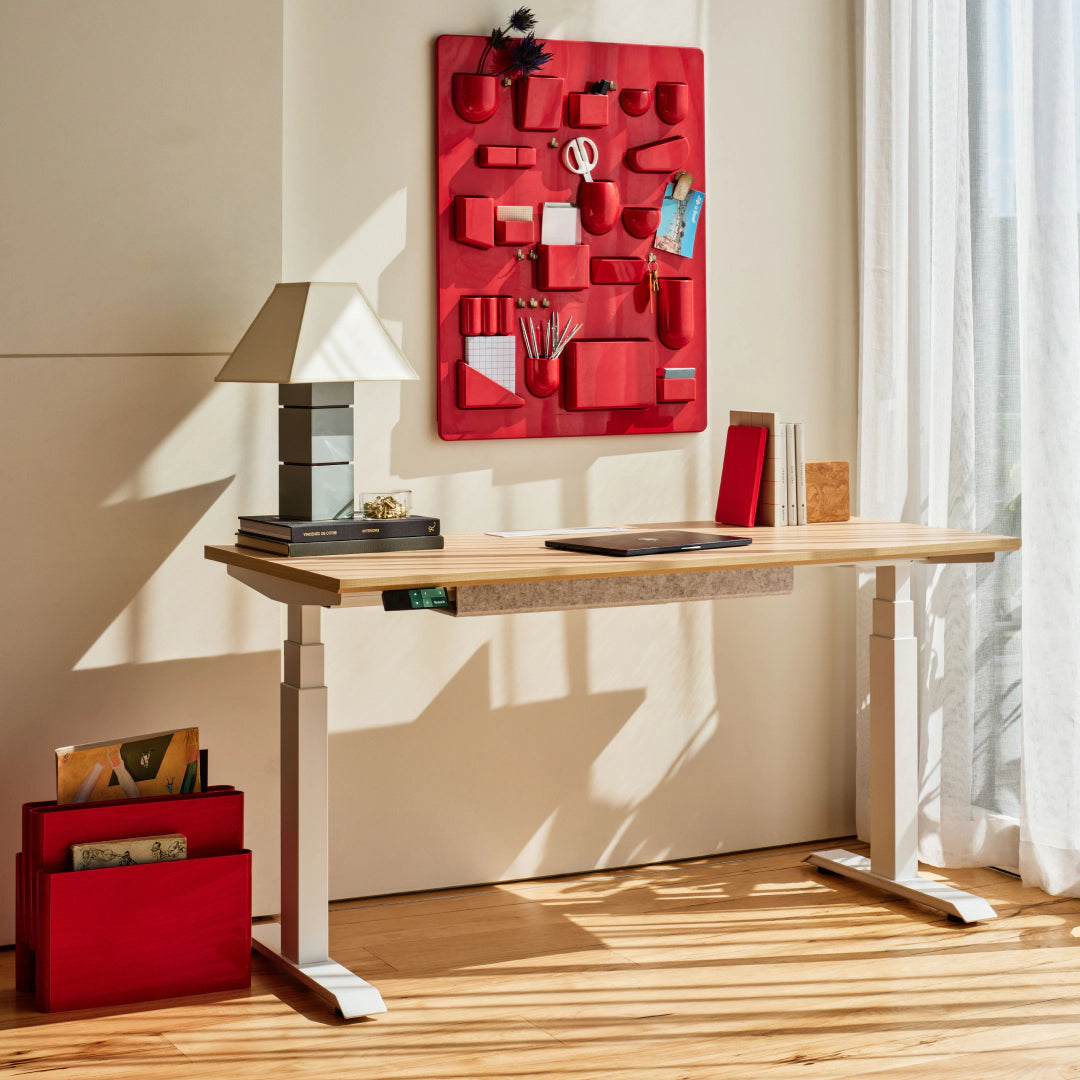
The base desk includes a cable grommet and PET felt cable organizer. A Tria cable tray and In-Desk Power are listed as compatible add-ons, not included hardware. The power module is a separate product; the USB-C port on the handset does not mean that the desktop arrives with built-in AC outlets or a desk power panel. Keep that distinction in the order checklist. The manufacturer product image used here matches the Woodgrain top and White legs, but does not identify which size is pictured; dimensions come from the spec sheet, not the image. Branch does not label the media as a photograph or rendering, and staged room objects should not be read as package contents.
Assembly and ownership limits
The linked Tria v1.1 assembly and user guide is unusually relevant to day-to-day setup: it calls for two-person assembly, shows the handset mounted on either side, and explains leveling through four adjustable glides. It also says to lift the assembled desk from its frame when turning it upright, not from the tabletop. Keep the powered columns, cords and control box dry; route the handset and leg cables with enough slack for the entire travel range. The manual warns against sitting or standing on the desk and against modifying electrical parts. The guide also explains reset/initialization, saved heights, reminder settings, Bluetooth pairing and adjustable safe-stop sensitivity; use the current guide rather than experimenting with a moving frame.
The 10-year tabletop-and-frame warranty statement is useful, but it is not a substitute for checking current exclusions and claim terms. If a lower published surface minimum and integrated Bluetooth matter more than a simpler setup, Tria is worth comparing with the 58 × 27-inch Branch Duo assessment. The Duo shares a similar nominal footprint but has a higher stated minimum and a different app/cable arrangement. Tria is the more convincing fit when its low-end range, three-stage columns, built-in Bluetooth or included felt organizer solves a real need; choose the top size only after measuring. This review does not claim ownership, independent lifting tests, measured noise, a verified stock status or a known static capacity.
Key details at a glance
| Leg count | 2 |
|---|---|
| Minimum supported desktop width | 47.2 in |
| Maximum supported desktop width | 70.9 in |
| Minimum supported desktop depth | 27 in |
| Maximum supported desktop depth | 29.5 in |
| Programmable height presets | 2 |
| Cable tray included | No |
| Published frame and mechanism warranty | 10 years |
| Frame layout | two-leg |
| Minimum working-surface height with desktop | 25.5 in |
| Maximum working-surface height with desktop | 48.9 in |
| Built-in drawer included | No |
| Built-in AC/USB power panel | No |
| Built-in AC outlets | 0 |
| Documented desktop material | laminate |
Use the exact model’s instructions for operating limits, supplied equipment and version differences.
Sources for this assessment
- Branch Tria Standing Desk U.S. product page
- Branch Tria official Shopify variant feed
- Branch Tria Standing Desk Product Spec Sheet
- Branch U.S. assembly guide index
- Branch Tria Standing Desk Assembly Guide and User Guide v1.1, 2026-06-25
- Branch Tria Standing Desk manufacturer image, Woodgrain top / White legs
- Branch Tria manufacturer media, Woodgrain / White finish
- Branch Tria manufacturer media, Woodgrain / White finish

Choose a desk around your real setup.
Start with whether you need a complete desk or a converter for an existing fixed desk, then choose the support layout and surface package. Add exact height, top and cable constraints only when they matter.