
Your needs, this model
Does it fit your priorities?
Which Tria top and leg-color pair do you require?
This fact covers the three exact Black Oak top / White legs U.S. selector SKUs. The representative product image shows Black legs and is explicitly not the selected leg finish.
Explore this need in the finder →What minimum actual long-edge length and top depth must one complete Tria provide?
The largest Black Oak / White plan is 70.9 × 29.5 in; middle and small surfaces are 58 × 27 and 47.2 × 27 in. Nominal 71 × 30 is rounded.
Explore this need in the finder →How low must the finished desktop reach?
Branch specifies a completed-surface lower endpoint of 25.5 in; a requirement for a lower surface is not supported.
Explore this need in the finder →Is laminated MDF acceptable, or is solid wood essential?
The Tria specification sheet identifies laminated MDF. Black Oak is a finish label and does not satisfy a solid-wood requirement.
Explore this need in the finder →The Branch Tria in Black Oak with White legs is a finish combination of Branch’s two-leg electric desk, not a separate lifting system. This assessment covers the three complete-desk selectors in the official U.S. feed: 48 × 27, 58 × 27 and 71 × 30 inches nominal. Choose this pairing for its dark, wood-look top against a light frame; the color contrast does not imply a different capacity, height range or control package.
Use the measured surface, not the rounded size label
Branch’s one-page specification sheet gives the smallest Tria top as 47.2 × 27 inches, despite the 48 × 27 selector label. The middle option is 58 × 27 inches. The largest is 70.9 × 29.5 inches, though the selector says 71 × 30. Each reviewed SKU is a complete desk, but those rounded names are not a substitute for checking a room sketch, chair clearance, wall gap and the edge-to-edge space your equipment needs. A strict 48-, 71- or 30-inch minimum is not met by the corresponding actual surface.
The small top is the natural fit for a tighter office or a lighter setup, while the 58-inch version adds working width without adding depth. The 70.9-inch model gives the most continuous surface, but needs almost 30 inches of depth and additional room for the chair and moving cables. If the nominal 71 × 30 option is what drew you in, pause at the measured 70.9 × 29.5 numbers. The same Tria family is documented in several sizes, but each size has its own SKU and operating plan; a photo cannot identify which one you are selecting.
Black Oak is a finish, not a wood-construction promise
Branch specifies the Tria top as laminated MDF. “Black Oak” is the manufacturer’s surface-finish name; it is not evidence of solid oak or an oak-veneer layer. That distinction matters if your material requirement is about wood construction rather than appearance. For a solid-wood requirement, compare desks whose maker documentation identifies the actual wood surface. The white legs provide a bright contrast beneath the dark top, but the manufacturer lists the same steel frame and lifting-column construction across the finish options.
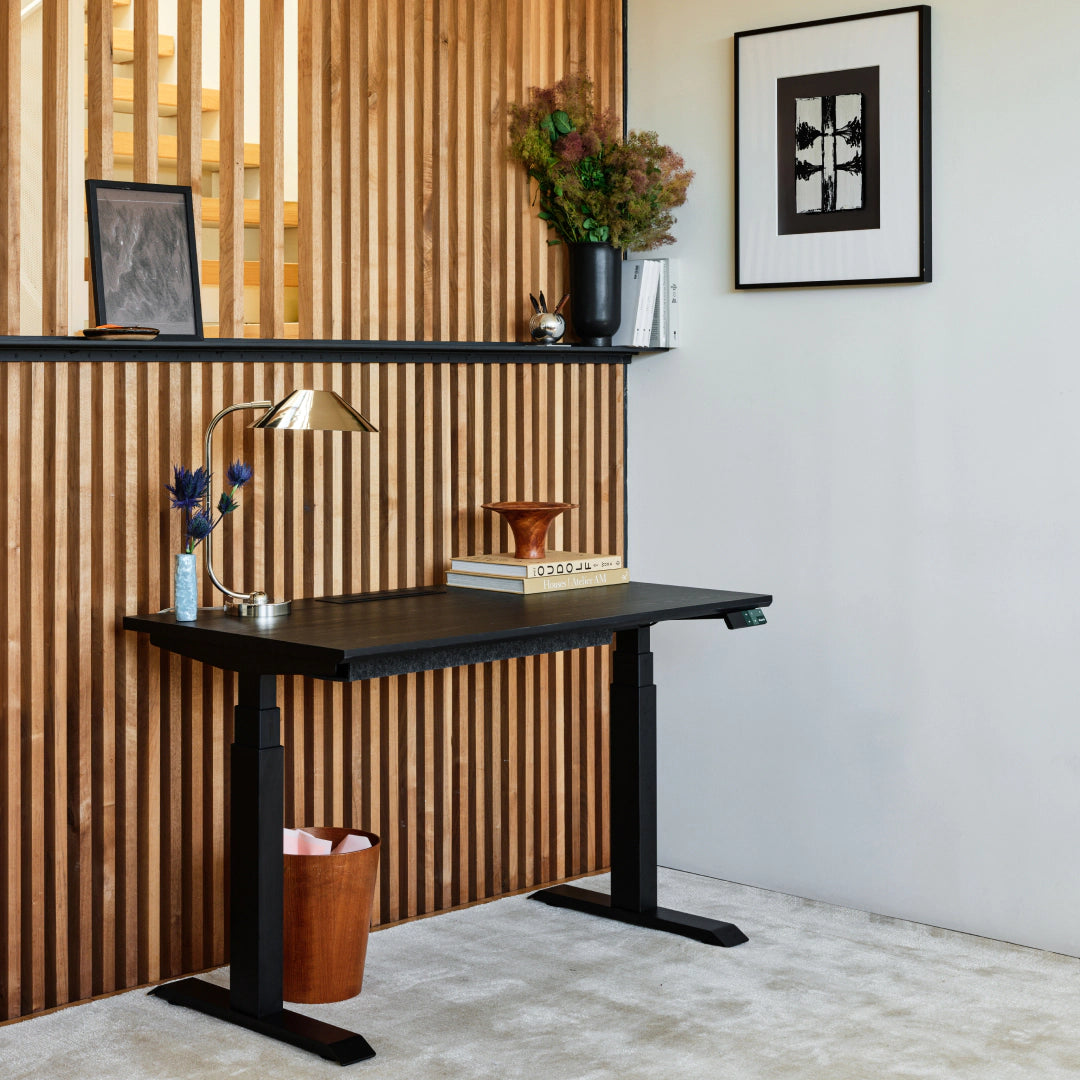
The available manufacturer image for this review is a representative Tria family view of the Black Oak top with Black legs. It is not the White-leg appearance assessed here, and it does not establish top size or included extras. The feed and selector rows identify the reviewed Black Oak / White SKUs; the caption makes the image difference explicit rather than suggesting an exact-finish picture. Branch does not say whether the product image is a photograph or rendering.
Check your seated height and useful controls
Branch publishes a completed desktop-surface range of 25.5 to 48.9 inches from the floor for all three sizes. This is the assembled working-surface range, not a separate bare-frame measurement. It is a useful starting point for checking a seated keyboard position and a standing elbow position, but it cannot establish ergonomic fit for every chair or person. Measure your own comfortable positions and make sure the lowest setting is low enough before treating the desk as a match.
The three-stage columns raise the desktop, and the OLED handset stores two presets for repeated positions. Branch also lists collision detection, sedentary reminders and built-in Bluetooth for its Ergonomics app. Those are practical controls for changing heights and managing reminders; they do not decide how long to stand or guarantee a health result. The specification sheet claims a 1.3-inch-per-second operating speed and noise below 50 dB, but those are manufacturer figures, not independent measurements. It also lists a USB-C port on the handset without specifying its output wattage, so do not assume it will power a laptop.
Separate included cable pieces from add-ons
The desktop has a cable opening, and Branch lists a PET-felt organizer and cable clips with the desk. A cable tray and in-desk power are optional compatible additions, not built-in features of these SKUs. The optional power module is a separate purchase; check its current port arrangement and cord reach if outlets on the top matter. A small charging port on the handset is not the same thing as integrated desktop AC outlets. The linked assembly guide includes cable-routing and control setup steps, so plan outlet location and cable slack around the desk’s full travel.
Branch advertises a 275-pound maximum capacity, but the spec sheet does not say whether that means static or moving load, or whether it includes the desktop’s weight. The listed assembled weight also varies by size. Treat 275 pounds as an incompletely defined manufacturer limit—not a confirmed usable payload for a static-load threshold. If load basis is an essential safety or equipment requirement, ask Branch for written clarification rather than letting the matcher treat an undocumented rating as known. The warranty sheet states ten years for the tabletop and frame components; check the current terms and exclusions before purchase.
Who should shortlist this version?
This configuration suits a shopper who specifically wants the Black Oak look with White legs, accepts a laminated-MDF surface and can choose among the three actual top sizes. If the white-versus-black frame appearance matters, compare the separate Black Oak / Black Tria review; it shares the documented frame and controls but not the chosen leg finish. If solid wood, an integrated power panel, a strict 71-inch surface or a verified static-load figure is essential, this fact set does not establish those needs. For a smaller room, compare a shorter top; for a firm wood requirement, choose a model with a clearly documented solid-wood surface. Decide from the measured dimensions, minimum height and material—not from the color label or representative image.
Key details at a glance
| Leg count | 2 |
|---|---|
| Minimum supported desktop width | 47.2 in |
| Maximum supported desktop width | 70.9 in |
| Minimum supported desktop depth | 27 in |
| Maximum supported desktop depth | 29.5 in |
| Programmable height presets | 2 |
| Cable tray included | No |
| Published frame and mechanism warranty | 10 years |
| Frame layout | two-leg |
| Minimum working-surface height with desktop | 25.5 in |
| Maximum working-surface height with desktop | 48.9 in |
| Built-in drawer included | No |
| Built-in AC/USB power panel | No |
| Built-in AC outlets | 0 |
| Documented desktop material | laminate |
Use the exact model’s instructions for operating limits, supplied equipment and version differences.
Sources for this assessment

Choose a desk around your real setup.
Start with whether you need a complete desk or a converter for an existing fixed desk, then choose the support layout and surface package. Add exact height, top and cable constraints only when they matter.