
Your needs, this model
Does it fit your priorities?
Does a fixed 48 × 30-inch top with Maple Laminate and the MVT011 fit your room?
This selector state fixes the worktop at 48 × 30 inches and labels it Maple Laminate 1 inch. The included MVT011 adds its own 36-inch rear and 12-inch side clearance requirements; the 48-inch top dimension is not the pad footprint.
Explore this need in the finder →Do you want a flush four-preset keypad and a separate foot control in this walking-desk plan?
The selected FRM703-WHT is the Advanced Comfort Flush keypad with four documented one-touch saved-height positions. The additional FRM068-BLK is an up/down foot switch, not a preset selector or walking-pad speed control.
Explore this need in the finder →Do you need a cable-pass-through cover, or must the desktop have no holes at all?
The chosen 3941 selector value is two white grommet covers. They cover openings; they do not make the surface uncut, provide power or add storage.
Explore this need in the finder →Can the completed desk surface reach your minimum height while you stand on the pad?
The 21.6–47.7-inch figure belongs to the frame specification, not a verified work-surface minimum above the MVT011 belt. This essential completed-surface measurement remains unknown and must fail closed.
Explore this need in the finder →This review covers one selector plan on UPLIFT’s configurable Treadmill Desk UPL964 page: a 48 × 30-inch, one-inch Maple Laminate desktop; white V3 C-frame with 27.5-inch feet; white FRM703 Advanced Comfort Flush Keypad; black FRM068 Wireless Foot Switch; two white grommet covers; and the required MVT011 Inclining Walking Pad. The selected controls and top are shown together in the saved manufacturer page state, but that state is not a completed cart or proof of current combination stock.
More length without a deeper footprint
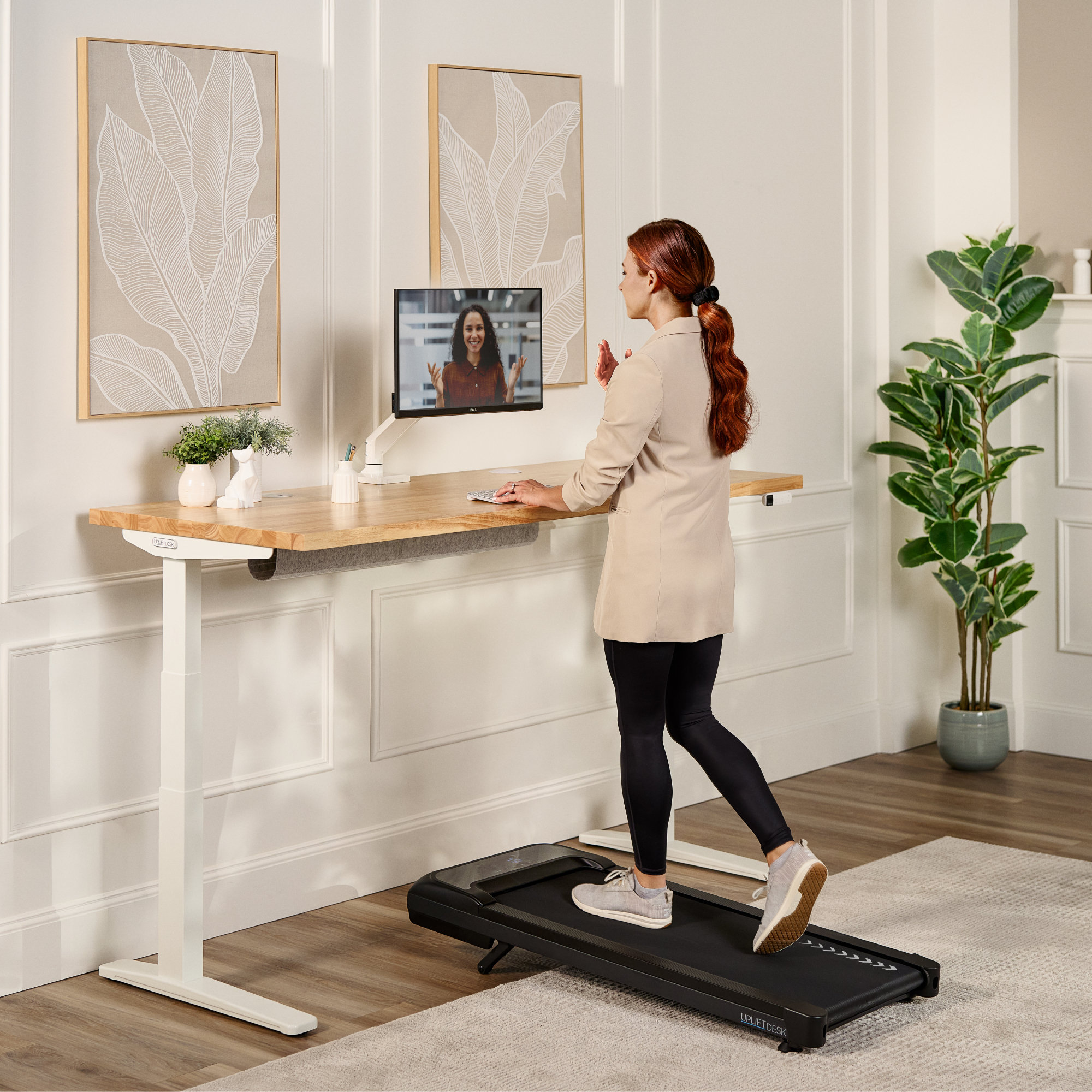
The 48 × 30-inch rectangle provides 10 square feet of work surface. Compared with the 42 × 30 Maple plan, it adds six inches along the long edge while keeping the same 30-inch front-to-back depth. If the desk needs to share a room with shelving or a doorway, measure the 48-inch length before choosing; if the deeper dimension is the constraint, this plan is not shallower than its 30-inch alternatives. The MVT011 still extends below the top and needs its own unobstructed floor area, so a longer desktop does not reduce the pad’s footprint or safety clearances.
UPLIFT labels the selected surface “Maple Laminate 1inch.” That is a laminate option, not a solid-maple board. The similarly sized 48 × 30 Acacia plan uses a 1.5-inch butcher-block top and a different control/frame selection; those material names should not be collapsed into a generic “wood” label. Here the thinner laminate top and white frame create a lighter visual combination, while the black foot switch and walking pad remain distinct accessories.
A flush keypad plus a separate pedal
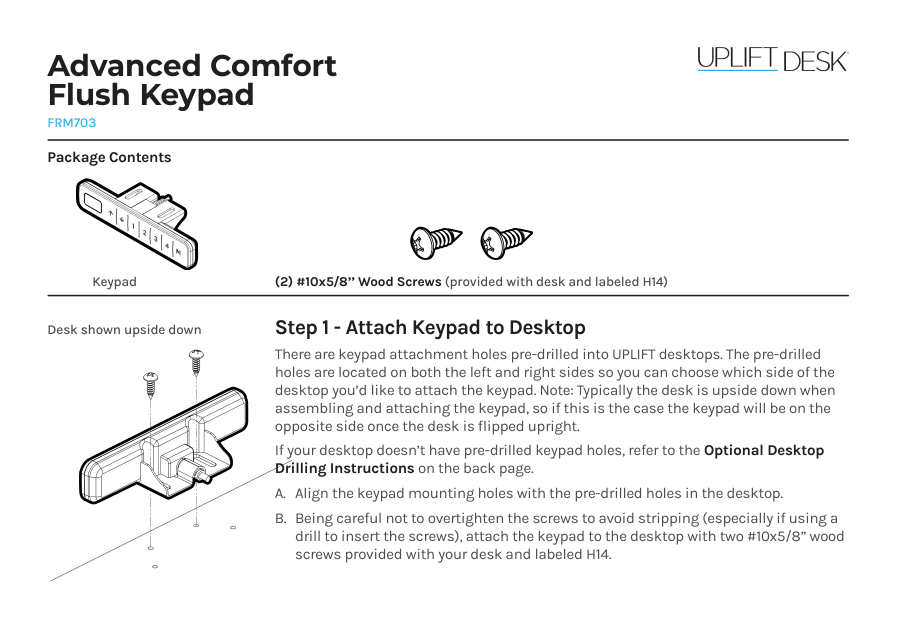
The white FRM703 is the Advanced Comfort Flush keypad. UPLIFT’s keypad materials document four saved heights with one-touch movement; the flush face sits level with the desktop edge rather than presenting an upward-angled panel. Save positions only after checking your own seated and standing elbow height, monitor reach and cables. Four presets are useful if you regularly return to several desk positions, but they are not a substitute for verifying the completed surface height while standing on the pad.
FRM068 adds a different convenience: foot-operated up/down desk movement while your hands are busy. Its manual describes a receiver that works alongside the keypad and uses two AAA batteries that are not included. The pedal does not control walking speed or select a stored desk height. Keep it under the desk and out of the walking route; its pedals are not a step surface and should not be stomped. If you do not expect to use foot control, the extra accessory is not a reason by itself to choose this option set.
The two white grommet covers provide covered cable openings. They do not make the desktop uncut, add storage cups, or supply AC or USB power. Someone who needs a truly hole-free top should select a different grommet option; someone who needs integrated charging should look for a documented power module instead of assuming a cover contains electronics.
Measure the walking setup, not just the desktop
The required MVT011 has a 48 × 20.25 × 5.25-inch overall footprint, a 39.4 × 15.4-inch belt, speeds from 0.6 to 4 mph and ten incline levels up to 7 percent. Its instructions call for 36 inches clear behind and 12 inches on each side. They also require a grounded 120V outlet and prohibit an extension cord or adapter. Plan a separate outlet for the desk lift, keep both cords away from moving parts and walking paths, and confirm the floor arrangement before ordering.
The V3 C-frame specification gives a 21.6–47.7-inch frame range, but that is not the confirmed finished desktop range above the raised belt. The exact combined work-surface height for this desk-and-pad arrangement remains unknown, as does the usable payload after adding the top, controls and equipment. The frame’s 355-pound lifting figure is not a static-load rating. The MVT011 manual says 240 pounds maximum user weight while its specification says 243; until UPLIFT reconciles that conflict, neither number is a verified matching threshold. If surface reach or that limit is essential, treat the missing bridge as a reason not to shortlist this plan yet.
Who should compare this exact plan?
Compare it if you have room for a 48 × 30-inch workstation and the pad’s additional floor clearance, specifically want a manufacturer-labeled laminate top, and will use both the flush four-preset keypad and the foot switch. The size questions in the finder should distinguish it from the 42-inch Maple version and the 60-inch Bamboo version; material, keypad, grommet and walking-pad requirements should narrow the result further. Unknown surface height and the unresolved pad weight limit must not become positive matches.
If you want a solid butcher-block feel rather than laminate, compare the separately reviewed 48 × 30 Acacia setup, while noting that its basic angled keypad, black frame and no-grommet selection are not this combination. If you do not want a walking belt, an ordinary standing desk avoids the MVT011’s clearance, separate power and weight-limit questions. This is a configurable listing, not a promise that every surface, frame, control and accessory can be ordered together today.
Sources: UPLIFT Treadmill Desk selector response; FRM703 information, FRM703 instructions and FRM703 specification; FRM068 instructions; UPLIFT’s MVT011 instructions and specification; and V3 C-frame instructions and specification.
Key details at a glance
| Minimum frame height without desktop | 21.6 in |
|---|---|
| Maximum frame height without desktop | 47.7 in |
| Leg count | 2 |
| Motor count | 2 |
| Narrowest frame width | 41.3 in |
| Widest frame width | 72.2 in |
| Minimum supported desktop width | 30 in |
| Maximum supported desktop width | 30 in |
| Programmable height presets | 4 |
| Frame layout | rectangular |
| Built-in AC/USB power panel | No |
| Built-in AC outlets | 0 |
| Documented desktop material | laminate |
Use the exact model’s instructions for operating limits, supplied equipment and version differences.
Paper, software and setup details
Operating and setup note
The exact archived option URL and selected source HTML show a 48 × 30 Maple Laminate top, two white covers, white V3 C-frame, white FRM703 keypad, black FRM068 foot switch and required MVT011. FRM068 provides separate up/down desk movement, not preset selection or pad-speed control. The pad needs its own grounded 120V outlet; its manual prohibits extension cords/adapters. The page displays a ship-by date before the source capture, so no current combination availability is inferred. Finished surface height over the belt, usable payload and a reconciled MVT011 weight limit remain unknown.
Sources for this assessment
- UPLIFT UPL964 Treadmill Desk exact selector response: Maple 48 × 30, white frame and FRM703 keypad, FRM068 and MVT011
- UPLIFT FRM703 Advanced Comfort Flush Keypad product information
- UPLIFT FRM703 Advanced Comfort Flush Keypad instructions
- UPLIFT FRM703 Advanced Comfort Flush Keypad specification
- UPLIFT FRM068 Wireless Foot Switch instructions
- UPLIFT FRM068 Wireless Foot Switch specification, SP-FRM068-1.0
- UPLIFT MVT011 Inclining Walking Pad instructions
- UPLIFT MVT011 Inclining Walking Pad specification sheet
- UPLIFT V3 C-Frame assembly and operating instructions
- UPLIFT V3 C-Frame specification sheet
- UPLIFT UPL964/MVT011 Maple/white-frame walking-desk gallery image (family view)

Choose a desk around your real setup.
Start with whether you need a complete desk or a converter for an existing fixed desk, then choose the support layout and surface package. Add exact height, top and cable constraints only when they matter.