
Your needs, this model
Does it fit your priorities?
Can a 42 × 24-inch Maple Laminate top and its walking pad fit your room, or is 48 inches of desktop length essential?
The selected page shows a fixed 42 × 24-inch Maple Laminate top with the required MVT011. The pad body is 48 inches long and needs its own floor area; if you require a 48-inch desktop, this 42-inch plan cannot meet that minimum.
Explore this need in the finder →Would four saved heights and a separate up/down foot switch meet your control needs?
FRM703-WHT provides four documented saved positions; FRM068-BLK is separate up/down desk control and does not select presets or change pad speed.
Explore this need in the finder →Do you require a desktop with no grommet openings?
This selector state includes two white covers over desktop openings. Covers are not an uncut surface; choose a no-grommet configuration if holes are unacceptable.
Explore this need in the finder →Must the finished work surface meet a minimum height while you stand on the raised pad?
The finished surface height over the belt is not established for this selected arrangement. A hard height threshold must remain unknown until the assembled setup is measured.
Explore this need in the finder →This review is for one option state on UPLIFT’s configurable Treadmill Desk listing: a 42 × 24-inch, one-inch Maple Laminate top, white V3 C-frame with 24-inch feet, white FRM703 Advanced Comfort Flush Keypad, black FRM068 Wireless Foot Switch, two white grommet covers and the required MVT011 Inclining Walking Pad. I confirmed those choices together in the manufacturer’s selector page. That is evidence of a displayed configuration, not a completed purchase or a guarantee that the combination is currently available.
The top is compact; the walking pad is not
The main reason to select this desktop is its 42-inch length and 24-inch depth. Compared with the reviewed 48 × 24 Maple option, it gives up six inches of side-to-side work area while keeping the same front-to-back depth. That may ease a tight room layout, but it is a real sacrifice if you spread out paper, use a large monitor stand, or want two displays with their own bases. Sketch the screen, keyboard, mouse and writing area at their actual sizes before assuming that a compact top will serve your routine.
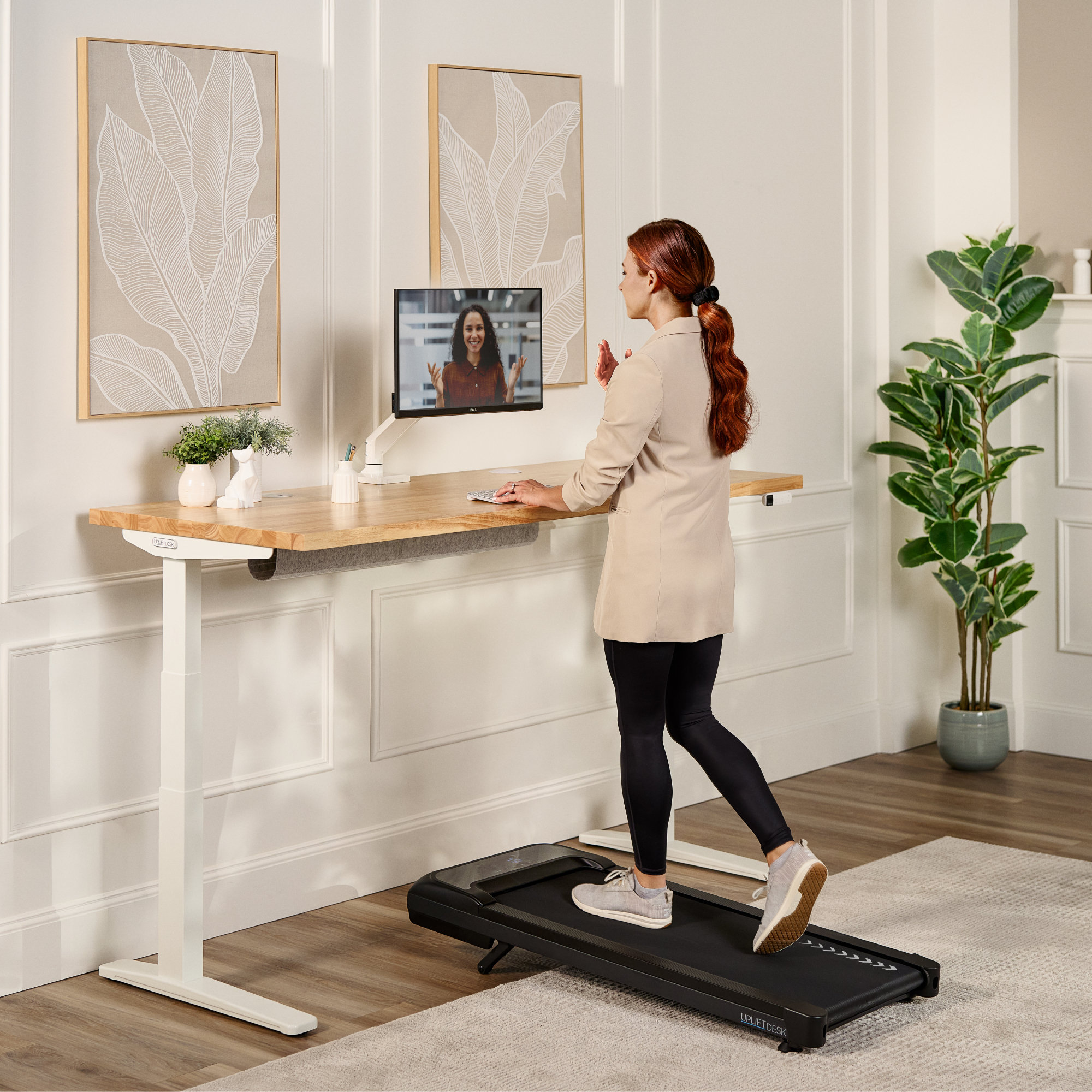
The included MVT011 is listed at 48 inches long by 20.25 inches wide, while this desktop is only 42 inches long. If the pad is centered under the top, simple arithmetic suggests about three inches of pad beyond each end; that is not a manufacturer placement drawing, and it says nothing about where the frame feet, the user’s stance or the walking path will fall. The pad is also about 3.75 inches narrower than the top, but the desk dimensions are not a substitute for the manual’s open-floor clearance requirements. Measure the whole footprint in the room, not just the desktop.
Two controls, two different jobs
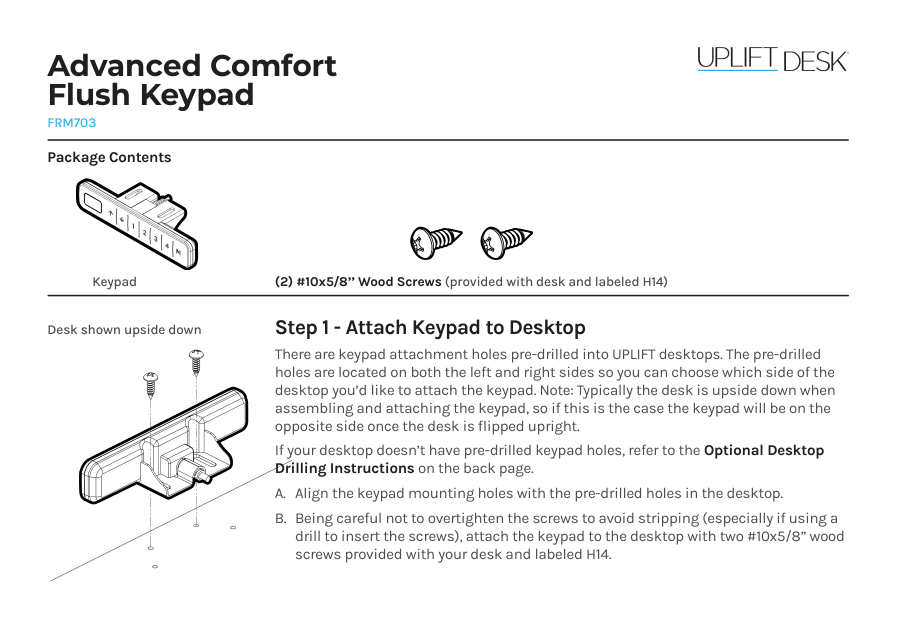
The white FRM703 is the flush keypad choice. Its manufacturer instructions and product information document four one-touch saved height positions, which can make repeat desk-height changes less fiddly once you have found comfortable settings. The separate black FRM068 is an up/down foot switch for desk movement. It does not recall an FRM703 preset or control the MVT011’s belt speed. The FRM068 manual calls for two AAA batteries, not included, and cautions against stomping on or standing on its pedal. Place it where you can reach it without putting a control in the ordinary walking approach.
Neither control answers the key walking-desk fit question: how high the finished work surface will be above the raised belt when you are on the pad. The frame’s bare range and the desktop thickness do not by themselves establish that combined height. A hard minimum or maximum reach requirement should stay unsatisfied until you can measure the assembled desk and pad in the intended setup.
Covered openings are still openings
This selector state includes two white grommet covers. They can close the visible openings when you are not routing cords through them, but they do not make this an uncut desktop, add storage cups, or provide built-in electrical outlets. If holes are unacceptable, choose the manufacturer’s no-grommet option rather than treating covers as equivalent. If you need charging at the work surface, check for a separate power module and plan its cord and outlet; it is not selected here.
Plan the pad as separate powered equipment
The MVT011 has a 39.4 × 15.4-inch belt, a stated speed range of 0.6–4 mph and ten incline levels up to 7 percent. Its instructions call for 36 inches of clear space behind the pad and 12 inches at each side. It needs its own grounded 120-volt outlet, and the manual says not to use an extension cord or adapter. The desk lift needs power too, so identify two safe cord routes before placing the workstation. These requirements can rule out an otherwise appealing 42-inch top in a room with limited rear clearance.
Important limits remain unresolved
The MVT011 instructions state a 240-pound maximum user weight, while the specification sheet states 243 pounds. I cannot reconcile the difference from those documents, so neither figure is treated as a settled threshold for recommendations. The V3 frame’s stated lifting capacity is not the static rating of this complete desktop assembly or the remaining payload after the top, controls and equipment. Those values should not be inferred from the desk’s short length or from the pad’s user limit.
Who should compare this plan?
Compare it with the 48 × 24 Maple plan if both surfaces fit your room: they share the 24-inch depth and selected control package, but the longer option provides more lateral worktop space. A 42 × 30 version keeps the 42-inch length and adds six inches of depth for a keyboard, screen stands or paper, if the room can spare it. Pick a conventional sit-stand desk instead if walking is not central to your use; that avoids the MVT011’s floor clearances and separate outlet. For this plan, the decisive questions are whether 42 × 24 inches is enough desk, whether the pad can sit safely in the room, and whether the measured work height suits you. The selector page alone cannot answer the last one.
Sources: UPLIFT UPL964 selector state; FRM703 product information and instructions; FRM068 instructions; MVT011 instructions and specification; and the V3 C-frame instructions and frame specification.
Key details at a glance
| Leg count | 2 |
|---|---|
| Motor count | 2 |
| Narrowest frame width | 41.3 in |
| Widest frame width | 72.2 in |
| Minimum supported desktop width | 24 in |
| Maximum supported desktop width | 24 in |
| Programmable height presets | 4 |
| Frame layout | rectangular |
| Built-in AC/USB power panel | No |
| Built-in AC outlets | 0 |
| Documented desktop material | laminate |
Use the exact model’s instructions for operating limits, supplied equipment and version differences.
Paper, software and setup details
Operating and setup note
The exact archived selector response marks Maple Laminate 4867, 42×24 desktop 19765, two white covers 3941, white V3 C-frame 24-inch feet 20605, white FRM703 12042, black FRM068 10561 and required MVT011 21437 selected together. The product-page selector code is UPL964-maple-lam-42x24; it is not treated as a completed order or current combination stock. The 42-inch top is shorter than the pad body (48 inches overall); this dimensional comparison is not a placement drawing. FRM068 controls desk up/down movement, not FRM703 presets or pad speed. MVT011 needs a grounded 120V outlet, no extension/adapter, and documented clearance. Current option availability, finished surface height above the belt, usable payload and reconciled MVT011 weight limit remain unknown.
Sources for this assessment
- UPLIFT UPL964 Treadmill Desk selected 42 × 24 Maple / white 24-inch-feet / FRM703 / FRM068 / MVT011 option state
- UPLIFT FRM703 Advanced Comfort Flush Keypad product information
- UPLIFT FRM703 Advanced Comfort Flush Keypad instructions
- UPLIFT FRM703 Advanced Comfort Flush Keypad specification
- UPLIFT FRM068 Wireless Foot Switch instructions
- UPLIFT FRM068 Wireless Foot Switch specification, SP-FRM068-1.0
- UPLIFT MVT011 Inclining Walking Pad instructions
- UPLIFT MVT011 Inclining Walking Pad specification sheet
- UPLIFT V3 C-Frame assembly and operating instructions
- UPLIFT V3 C-Frame specification sheet
- UPLIFT UPL964/MVT011 Maple/white-frame walking-desk gallery image (family view)

Choose a desk around your real setup.
Start with whether you need a complete desk or a converter for an existing fixed desk, then choose the support layout and surface package. Add exact height, top and cable constraints only when they matter.