
Your needs, this model
Does it fit your priorities?
Do you need the UPLIFT selector to identify White Eco, a white base and Triple Monitor Mount White together?
The inspected UDA115-A page selects White Eco 4272, White base 4267 and Triple Monitor Mount White 5644 together. That identifies the option state, not a separate assembled SKU, stock, checkout or order.
Explore this need in the finder →Will three screens fit the white ACC116 option you selected?
The ACC116 instructions identify three positions and a 28-inch maximum screen size, but screen diagonal does not ensure three particular housings fit side by side. Check widths, actual VESA points, weight and arm clearance.
Explore this need in the finder →Do you have a current, confirmed load limit for the complete three-position mount?
The current ACC116 sheet prints 17.6 lb without saying whether that is per position or total. The old guide’s 52.8 lb assembly figure is dated history, so current capacity is unknown and cannot satisfy any essential weight threshold.
Explore this need in the finder →Do you require a known monitor VESA hole pattern?
The ACC116 documents do not give exact hole spacing. Generic E7 listing language is not treated as accessory-specific confirmation; an essential 75 x 75 or 100 x 100 requirement remains unresolved.
Explore this need in the finder →Is White Eco sufficient if a specific desktop material is essential?
No. White Eco is the exact selector label, but the sources do not establish laminate, wood, recycled content or certification.
Explore this need in the finder →Will the moving surface and lower tray fit your current desk?
Measure the 30 x 21.5 in upper surface, 28 x 10.5 in lower tier, host-desk depth/edge and tray clearance; the tray descends below the host desktop at the lowest position.
Explore this need in the finder →This review covers one UPLIFT E7 UDA115-A public selector state: White Eco surface, White base, and Triple Monitor Mount White. The selected labels do not establish a separately assembled SKU or order. This remains a desktop converter, not a complete freestanding desk.
White is a finish choice, not a material specification
The page labels the surface White Eco and shows a white support/base with a white three-position display bar. The label does not specify panel core, facing, finish chemistry, recycled content, or certification. If one of those properties is essential, ask the maker for written details rather than treating the option name as proof. White hardware may coordinate with pale furniture, but the label cannot promise identical shades across a room.
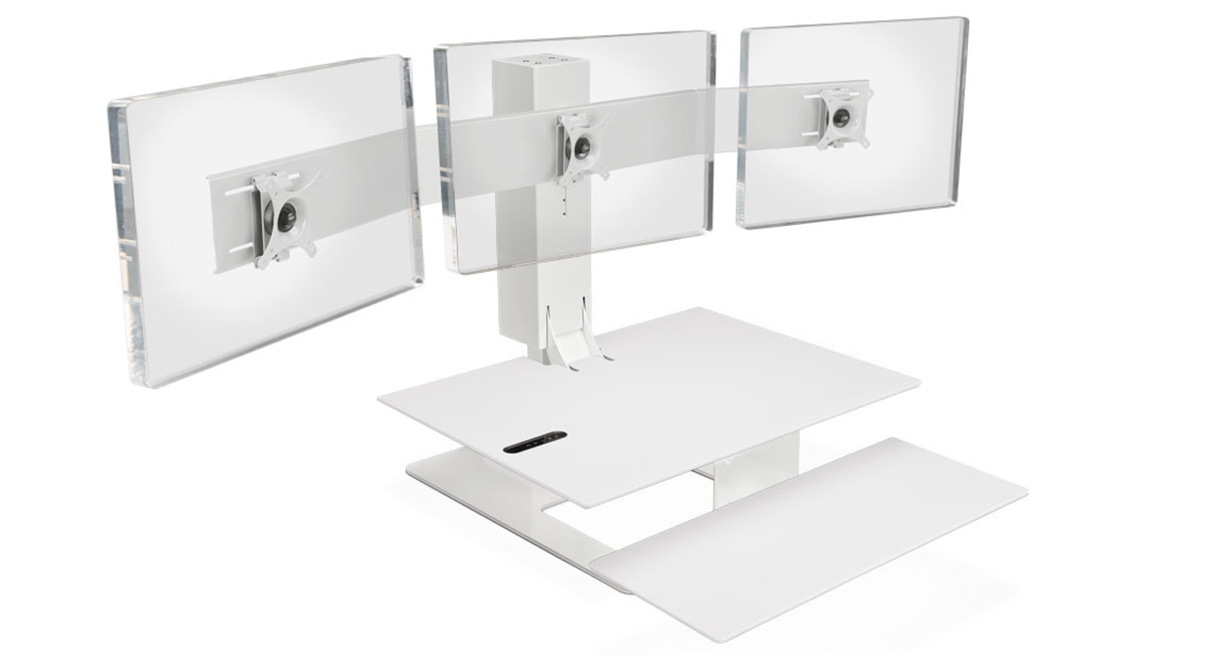
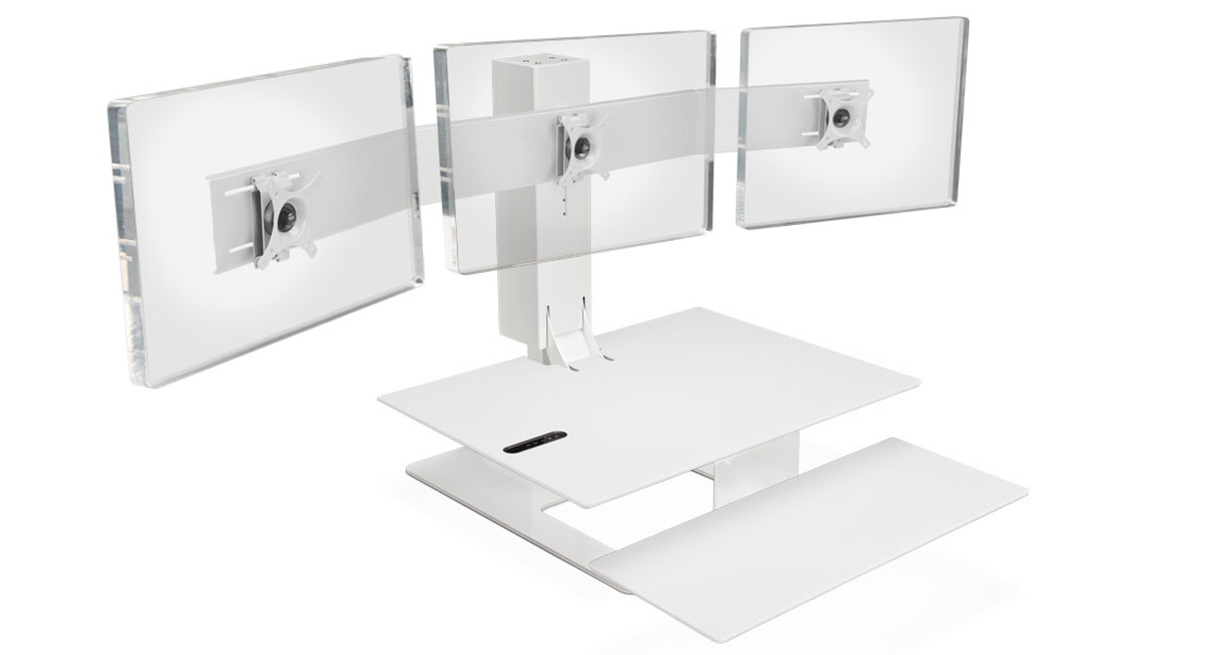
The selected image shows three blank display plates against a plain background, without monitors or a host desk. It looks like an isolated product rendering, but UPLIFT does not identify its production method. Treat it as a view of the selected white appearance, not the complete workstation, included screens, or a performance demonstration.
A converter puts the burden on the desk below it
The UDA115-A rests on a separate fixed-height desk. Its upper moving surface is 30 by 21.5 inches; its lower keyboard tier is 28 by 10.5 inches. Three mount positions do not enlarge the work area. At about 92 pounds, the converter also asks a lot of the host: check its support, depth, front edge, and base footprint. UPLIFT’s 110-pound figure is a maximum load or lifting-capacity statement, not a host-desk static rating or confirmed remaining payload after the converter, mount, and monitors.
The 21 inches is travel above the host, not a floor-to-worktop range. Your desk determines the starting height. At its lowest position the keyboard tier sits below the host surface and needs clearance past the edge, as the UDA115 instructions warn; an apron, drawer, lip, or crossbar can interfere. Measure seated and standing keyboard heights with your chair and check screen positions throughout travel. A host desk that is already too tall for seated typing may prevent a comfortable lowest position even with this travel.
Three positions are not a blanket fit guarantee
The white option identifies UPLIFT’s ACC116 triple-monitor accessory. Its instructions describe three VESA positions, a maximum 28-inch monitor size, five center-bracket heights, and the need for cable slack as the converter moves. Screen diagonal alone does not prove that three housings fit side by side. Check each display’s width, rear shape, VESA points, weight, arm clearance, and cable path. The general E7 page mentions 75-by-75 and 100-by-100 millimeter patterns, but ACC116 instructions do not state its exact hole spacing; those generic figures are not proof of accessory fit.
There is a second unresolved limit. The current ACC116 sheet says “17.6 lb VESA Weight Capacity” without saying whether that is per position or for the full assembly. UPLIFT’s 2022/2023 guide lists 17.6 pounds per mount and 52.8 pounds for the ACC116 assembly, but that dated guide is not a current confirmation of the sheet’s ambiguous wording. The current combined capacity and exact VESA spacing therefore remain unknown for an essential requirement. The converter’s 110-pound lift statement does not answer either mount question. If a hard monitor-weight or VESA constraint matters, get the current ACC116 limit and pattern in writing before relying on this selection.
How to use the finder for this state
Select a desktop converter only if you already have a suitable fixed desk and want the keyboard, surface, and display area to move together. Then use the optional UDA115 surface, base, and mount questions to distinguish this White Eco / White / Triple Monitor Mount White state from its black hardware, Bamboo, Natural Rubberwood, single-mount, and dual-mount alternatives. Treat White Eco as a named finish only; it will not satisfy a required laminate or wood-material answer. A requirement for three positions and a monitor size at or below the accessory’s stated maximum can describe a plausible use, but an essential ACC116 load threshold or exact VESA pattern will not pass while those values remain undocumented. A requirement for 29-inch screens should rule it out under the stated 28-inch ceiling.
Who should consider it—and when to choose a full desk
This exact configuration is worth considering when an appropriate host desk is already in place, the compact 30-by-21.5-inch moving area is enough, white hardware is preferred, and three moving monitor positions serve a real setup. The useful difference from the same converter’s single and dual selections is the third mounting position—not a larger worktop, a different height range, or a more certain material. If you have only one or two displays, compare those simpler mount states instead of selecting triple merely because it is the largest count.
Compare a conventional two-leg standing desk if you need a complete floor-supported workstation, more desktop area, a lower absolute seated position, or a load rating that is documented for the whole host-and-frame system. This UDA115 state asks you to verify host strength, tray clearance, monitor geometry, power, and cable slack. Its white appearance and compact powered adjustment are the attraction; the cost of that space-saving approach is that the fixed desk remains part of the system and the current ACC116 capacity and VESA details still need confirmation.
Key details at a glance
| Leg count | 1 |
|---|---|
| Motor count | 1 |
| Minimum supported desktop width | 21.5 in |
| Maximum supported desktop width | 21.5 in |
| Minimum supported desktop depth | 21.5 in |
| Maximum supported desktop depth | 21.5 in |
| Programmable height presets | 2 |
| Frame layout | desktop-converter |
| Built-in drawer included | No |
| Built-in AC/USB power panel | No |
| Built-in AC outlets | 0 |
| Selected monitor mounting positions | 3 |
| Manufacturer maximum monitor diagonal | 28 in |
| ACC116 triple-mount width | 56.8 in |
| ACC116 triple-mount weight | 13.4 lb |
Use the exact model’s instructions for operating limits, supplied equipment and version differences.
Sources for this assessment
- UPLIFT E7 UDA115-A White Eco / white base / Triple Monitor Mount White selected option state
- UPLIFT exact selected-state White Eco / white base / white triple-mount image
- UPLIFT E7 UDA115-A Triple Monitor Mount ACC116 instructions
- UPLIFT E7 UDA115-A instruction manual
- UPLIFT E7 UDA115-A specification sheet
- UPLIFT Price Book + Specification Guide, page 63 (2022/2023 edition)
- UPLIFT Triple Monitor Arm for E7 Converter ACC116 specification sheet (SP-ACC116-1.3)
Choose a desk around your real setup.
Start with whether you need a complete desk or a converter for an existing fixed desk, then choose the support layout and surface package. Add exact height, top and cable constraints only when they matter.