
Your needs, this model
Does it fit your priorities?
Would you use an RGB keypad in black FRM076-BLK or white FRM076-WHT, or would a plain control suit you better?
Both exact selector variants use the same FRM076 keypad functions; they differ in shell color. It has mechanical switches, replaceable keycaps and configurable patterns, including an off setting. The manual warns certain patterns may trigger seizures in rare cases; consider a non-lighted option if illumination is unwanted.
Explore this need in the finder →How many saved heights do you need at minimum?
UPLIFT lists two saved positions for FRM076. The exact keypad manual covers RGB setup but does not document an FRM055-style 35.5-inch split for its two memories; do not borrow that threshold from the other keypad.
Explore this need in the finder →Does the fixed 42 × 30-inch desktop fit the measured space and reach you need?
This exact included Black Laminate top is 42 inches long and 30 inches deep. Measure the full rectangle, chair clearance and cable path; other sizes in the Clearance selector are separate plans.
Explore this need in the finder →Is a two-motor frame enough, or is three motors an essential requirement?
This plan pairs the FRM076 keypad with the same two-motor V3 C-frame as the other reviewed branches. The keypad changes control and lighting, not the lift mechanism.
Explore this need in the finder →This review covers two finish-only FRM076 keypad choices within one exact UPLIFT Clearance desk package: black FRM076-BLK (selector value 19537) and white FRM076-WHT (19538), each on the same 42 × 30 × 1-inch Black Laminate desktop, black two-leg V3 C-frame with standard feet, and no-grommet selection. The keypad color changes; the frame, top, functions and two saved heights do not. This is not a review of the selector’s other keypad or desktop options.
When a colorful keypad is useful—and when it is not
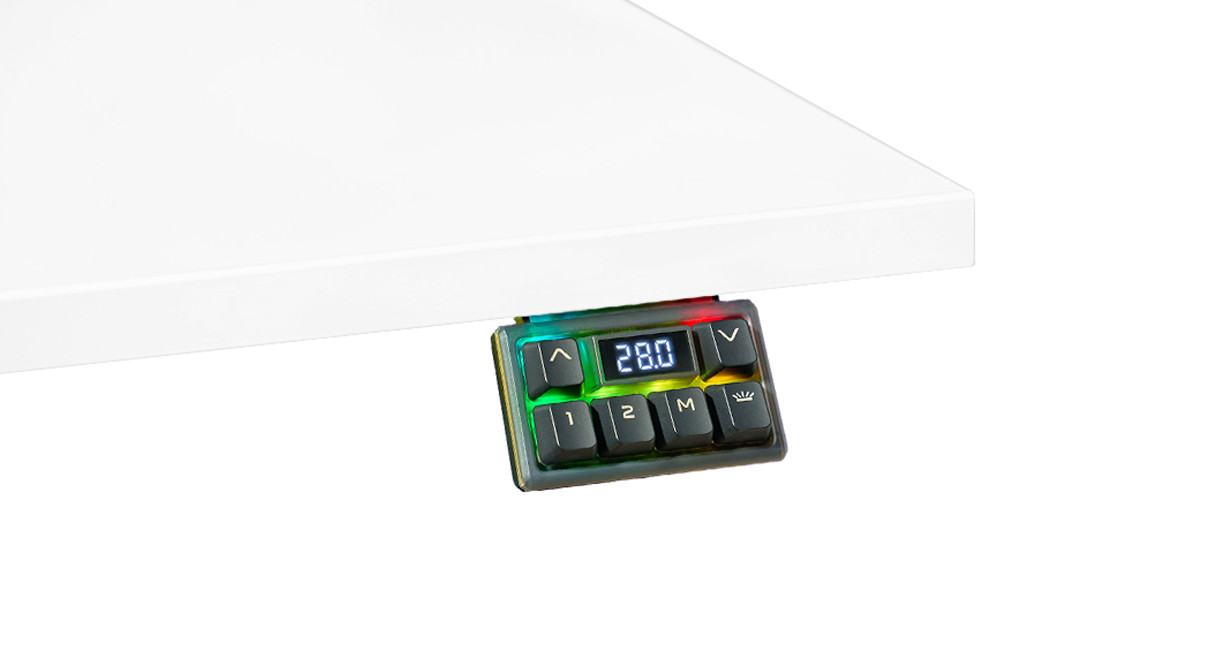
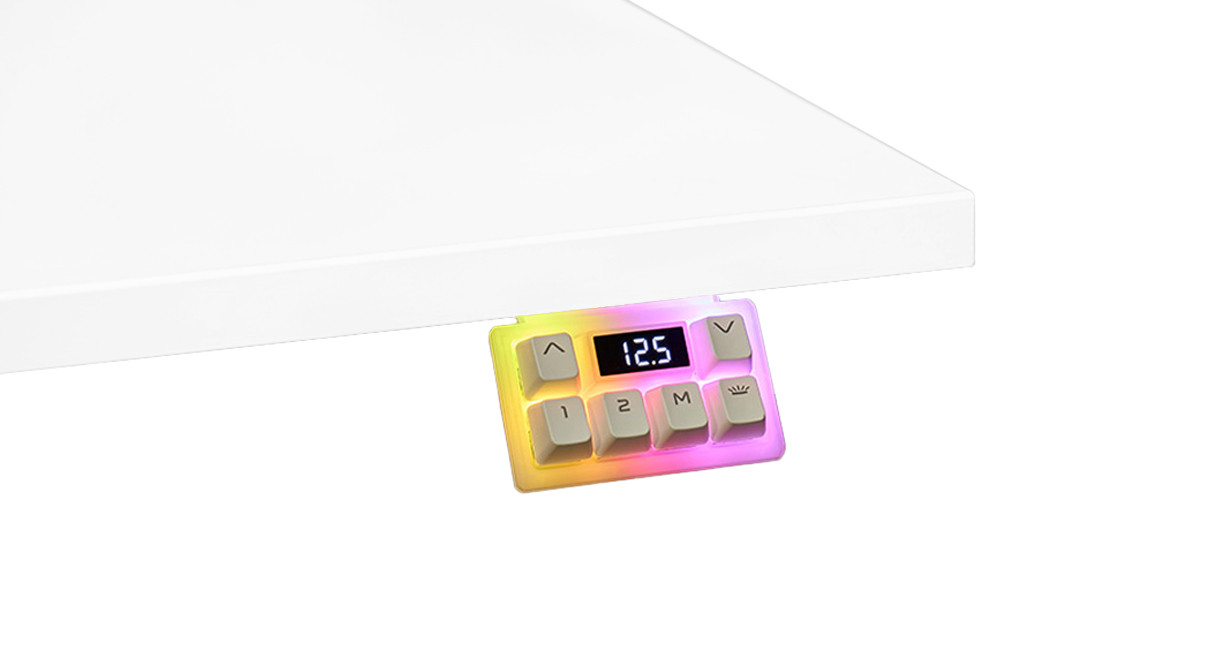
UPLIFT describes FRM076 as an angled keypad with RGB LEDs behind its replaceable keycaps and a translucent front cover. The keypad uses Cherry-style mechanical switches, and standard-size keycaps can be changed. That may suit a desk already arranged around a coordinated gaming setup or someone who wants a tactile, easy-to-find control in a dim room. It is a visible design feature, not a reason to expect the desk to lift better or carry more.
The manufacturer’s four-page FRM076 instructions describe seven selectable light patterns (L01–L07; L00 turns the lights off). The single-color modes offer 42 colors, one mode offers three white color temperatures, animated modes have selectable cycle speeds, and brightness has eight settings from 12.5% to 100%. The ability to turn the LEDs off matters if moving or glowing controls would distract you: this keypad is not limited to a permanently animated display. Still, UPLIFT warns that, in rare cases, certain light patterns may trigger seizures. If that warning applies to your household or workplace, do not rely on a marketing photo to decide; check the manual and consider a non-lighted control instead.
Two saved positions, with fewer compromises than a stripped-down control
The product page lists two saved height positions for the FRM076 family, as well as the LED height display, keypad lock, anti-collision adjustment, one-touch or constant-touch movement, height limits, calibration, and inch/centimeter display. Both the black and white selector choices use this keypad family; the color option is not another control revision. This does not make it a four-preset controller: if three saved positions are essential, this plan does not meet that requirement. Unlike the FRM055-BLK Advanced Paddle sibling, the RGB manual reviewed here does not document a 35.5-inch split for those two memories. Do not assume the FRM055 threshold behavior applies to FRM076 just because both are advanced keypads. The ordinary up/down controls remain available for fine adjustment.
Installation also deserves a minute of planning. UPLIFT’s instructions say its desktops have keypad holes on both left and right sides. For another surface or a different location, the manual specifies a minimum 0.75-inch desktop thickness and a maximum 1/2-inch pilot-hole depth. The keypad cable is 83 inches long according to its spec sheet; route it so the moving frame cannot snag it. Before normal use, the instructions call for resetting the desk to calibrate the legs. Those details are more useful than assuming the glow means a plug-and-play accessory.
What stays fixed in this clearance package
The 42-inch width can work in a short wall run, while the 30-inch depth leaves room front-to-back for a screen, keyboard, and writing. It is not an expandable tabletop. Measure the wall, chair movement and nearby furniture, then check the cable exit and the desk’s full travel path. The selected no-grommet option includes no pop-up outlet or factory desktop opening; FRM076 supplies lighted controls, not desktop charging. If built-in power matters more than lighting, compare the separately reviewed PDC013 branch, which selects the Basic Display controller. Its memory count remains unknown in the reviewed evidence.
The black V3 C-frame has two motors. Its specification sheet reports 21.6–47.7 inches for the bare frame and a 355-pound lifting capacity. The manufacturer describes desktop weight as included; that number is not a remaining-payload estimate or an advertised static equipment rating. The exact selected package’s finished-surface minimum remains unknown, so a low seated-position requirement cannot be confirmed by subtracting dimensions or guessing. The frame instructions also specify a 10% movement duty cycle—two minutes moving in a 20-minute period, then rest. These are published specifications, not independent measurements of this assembled desk.
Who should choose this exact version?
Consider FRM076-BLK or FRM076-WHT if the fixed top fits and you specifically value a customizable, switch-based RGB keypad with two saved positions; the choice between these two selector variants is shell color. If color lighting is unnecessary, the FRM055-BLK plan keeps a paddle-style control and two memories without the described RGB effects; if simplest controls are the priority, the Basic Display siblings avoid an unsupported memory claim. If outlets are the priority, inspect the exact grommet option rather than assuming the RGB controller provides power. If a three-motor frame, a verified static-load rating, a known finished minimum, a three-preset controller, or a different top size is essential, this plan does not establish that fit.
This is a source-based assessment, not a hands-on stability, lift-speed, sound, assembly, or lighting test. Confirm the options on the U.S. Clearance Standing Desk selector, and read the Advanced RGB Gaming Keypad page, its FRM076 instructions, the FRM076 specification sheet, and the V3 C-frame specification as a set. Changing the top, frame, keypad, or grommet creates a different plan.
Key details at a glance
| Minimum frame height without desktop | 21.6 in |
|---|---|
| Maximum frame height without desktop | 47.7 in |
| Leg count | 2 |
| Motor count | 2 |
| Narrowest frame width | 41.3 in |
| Widest frame width | 72.2 in |
| Minimum supported desktop width | 30 in |
| Maximum supported desktop width | 30 in |
| Programmable height presets | 2 |
| Cable tray included | No |
| Magnetic fabric cable cover included | No |
| Frame layout | rectangular |
| Built-in AC/USB power panel | No |
| Documented desktop material | laminate |
Use the exact model’s instructions for operating limits, supplied equipment and version differences.
Paper, software and setup details
Desktop and configuration note
This exact plan includes the fixed 42 × 30 × 1-inch Black Laminate top, black V3 C-frame and FRM076-BLK RGB keypad. It selects no grommet holes; no pop-up power, outlets or charging panel is included. The separate PDC013 plan is a different configuration.
Load-rating interpretation
The exact V3 C-frame sheet states 355 lb lifting capacity, and UPLIFT describes desktop weight as included. Neither reviewed source establishes static equipment load or usable payload for this exact top/frame; the static-rating field remains unknown.
Operating and setup note
This reviewed desk plan has two exact finish-only keypad choices: black FRM076-BLK/value 19537 and white FRM076-WHT/value 19538. Both are the same Advanced RGB Gaming Keypad family; the documented functions below are shared, while the shell color differs. UPLIFT lists two saved height positions, keypad lock, anti-collision adjustment, one-touch or constant-touch movement, limit settings, LED display, calibration, and inch/centimeter units. It uses Cherry-style mechanical switches and replaceable standard-size keycaps. Its exact manual documents seven light patterns (L01–L07, L00 off), 42 colors for single-color modes, three white color temperatures for one mode, animated-cycle speeds, and eight brightness levels from 12.5% to 100%. The manual warns that certain patterns may trigger seizures in rare cases. It says keypad pre-drilled holes are on both desktop sides; if drilling another surface/location, the top must be at least 0.75 inch thick and pilot holes no deeper than 1/2 inch. Route its 83-inch cable clear of movement and perform the reset procedure. The page supports two memories; the manual does not establish an FRM055-style 35.5-inch preset split. The keypad does not change the 42 × 30-inch top, frame, motors, height range, no-grommet plan or load basis.
Sources for this assessment
- UPLIFT Clearance Standing Desk — selected 42 × 30 Black Laminate / black V3 C-frame / FRM076-BLK or FRM076-WHT RGB keypad / no-grommet plans
- UPLIFT U.S. Standing Desks category listing, page 1
- UPLIFT V3 Standing Desk FV3-200 C-Frame instructions
- UPLIFT V3 Standing Desk Frame FV3-200 C-Frame specification sheet
- UPLIFT Advanced RGB Gaming Keypad product page, black option
- UPLIFT Advanced RGB Gaming Keypad FRM076 instructions
- UPLIFT Advanced RGB Gaming Keypad FRM076 specifications
- UPLIFT Clearance selector image for black FRM076-BLK RGB Gaming Keypad
- UPLIFT Clearance selector image for white FRM076-WHT RGB Gaming Keypad


Choose a desk around your real setup.
Start with whether you need a complete desk or a converter for an existing fixed desk, then choose the support layout and surface package. Add exact height, top and cable constraints only when they matter.