
Your needs, this model
Does it fit your priorities?
Do you want to keep a fixed-height desk and add a manually raised converter instead of replacing the desk?
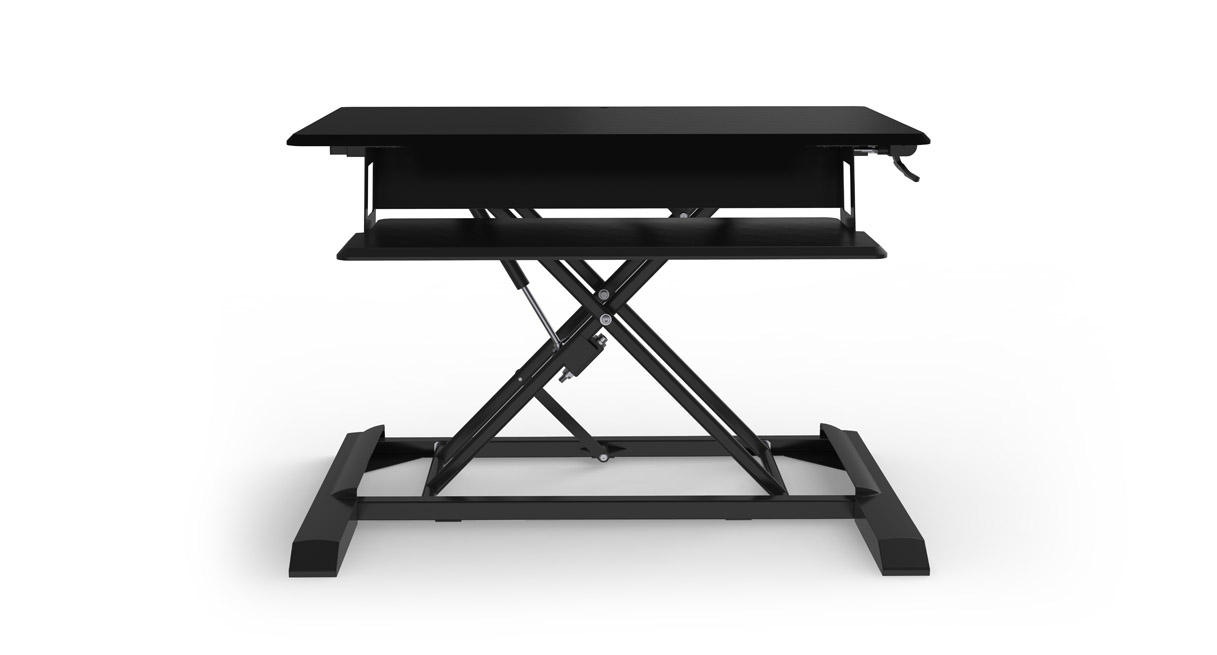
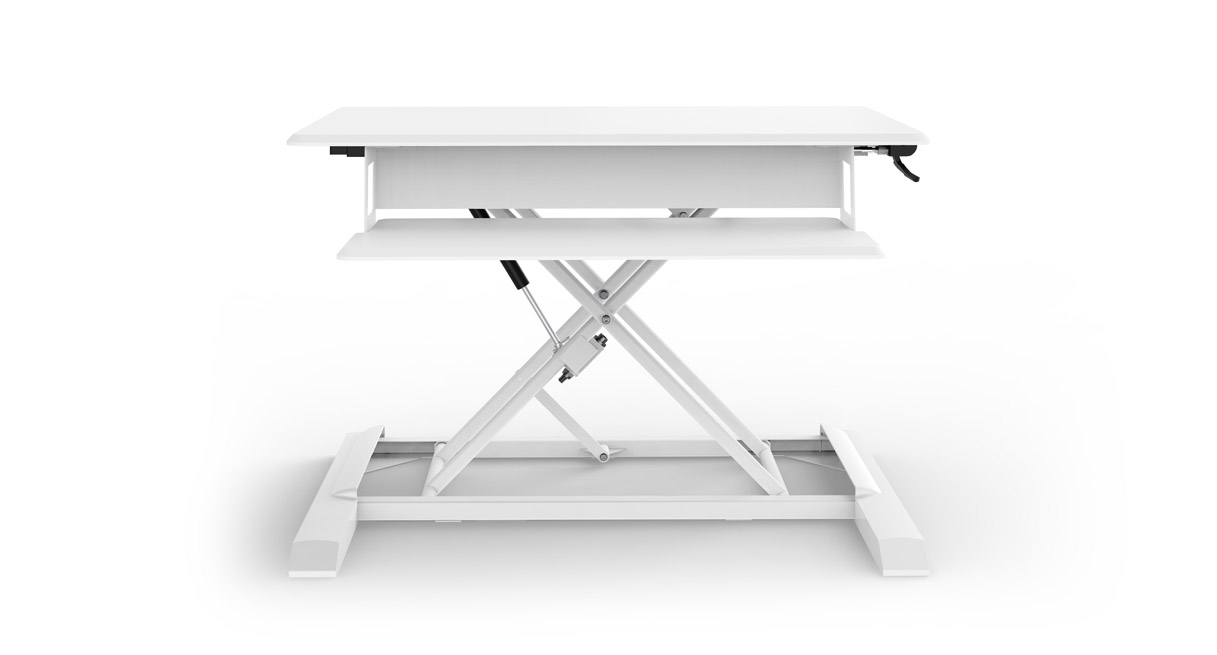
The ATX UDA123 is a desktop converter whose base rests on a separate desk; it is not a complete floor-standing desk.
Explore this need in the finder →Would an adjustment mechanism that does not need a wall outlet suit the room?
The UDA123 uses a hand-operated gas spring rather than a motor; it stops at user-chosen positions but does not store them.
Explore this need in the finder →Can a roughly 20.8-inch-deep upper work surface meet the work area you need?
The UDA123 drawing labels 20.8 inches of work-surface depth; the current page rounds that dimension to 21 inches. A tight 21-inch clearance should be checked directly rather than assumed.
Explore this need in the finder →Does the keyboard tier have to lower below the desk that supports the converter?
UPLIFT's converter comparison says the ATX tier does not adjust below the host surface. A different model is needed if that below-surface position is essential.
Explore this need in the finder →This assessment covers UPLIFT’s ATX Standing Desk Converter, model UDA123, with the listed black and white finish options. It is a converter for a desk you already own, not a floor-standing frame.
Keep your existing desk, but check its footprint first
The ATX suits someone keeping a fixed-height desk and adding a manual work surface on top. Its instructions require a host surface at least 36 inches wide by 29 inches deep and recommend two people for placement. The converter weighs 41 pounds 6 ounces. Confirm that the host desk can support the loaded setup; UPLIFT publishes no static rating for the host desk or remaining-payload allowance here.
The upper work area is about 35.4 inches wide and 20.8 inches deep in the technical drawing; the current product details round depth to 21 inches. Do not squeeze a setup into a hard 21-inch limit on the rounded figure. A separate 28.1-by-11.25-inch keyboard tray takes space below. A mouse, keyboard and screen base suit a compact layout, but a large writing spread or several peripherals can crowd the top. Measure the equipment you need to move with the converter.
A hand lever gives continuous positions without a cord
The gas spring is operated by a handle, not an electric motor. It stops anywhere within its range instead of using preset heights, which suits a room without a nearby outlet or a buyer who prefers mechanical controls. It does not save positions or rise at a keypad press. For button-controlled travel compare UPLIFT’s electric E7; for a full adjustable workstation, choose a powered desk frame rather than assuming this topper replaces one.
UPLIFT lists 18.3 inches of travel and a maximum work-surface position 24.6 inches above the host desk. Those are converter-relative dimensions, not floor-to-keyboard heights. Add the height of your own desk to estimate the top position, then check the lowered height against your seated elbow and the raised height against your standing posture. The manufacturer’s stated user-height range is based on its test with the converter atop a 30-inch desk; that is not an individualized fit guarantee, and we have not independently measured a user or tested this product.
Set the spring for the real load, not an empty showroom
The instructions describe adjusting spring tension with the supplied 8 mm Allen wrench after placing the equipment on the converter. They warn that too little tension can let the tray sit slightly below the host surface at the bottom, while too much can leave it above. That is a setup balance, not a supported way to make the ATX a below-desk keyboard tray: UPLIFT’s converter comparison says the ATX tray does not adjust below the desk surface. If a lower-than-host tray is essential for your chair or leg clearance, choose a product whose manual confirms that arrangement.
Capacity is split by tier: the UDA123 instructions and specification sheet give 33 pounds for the upper work surface and 6.6 for the keyboard tray; the current page summarizes 39.6 pounds overall. Stay within each section's limit rather than treating the total as an upper-surface allowance. These are not identified as static ratings. Keep devices centered and away from the edges. UPLIFT says optional monitor arms can attach by clamp or bolt-through, but no arm is included; verify its mounting and load limits separately.
Leave room for the moving arms and their cables
Assembly is not required, but follow the manual: support the top while squeezing the right-side handle, and keep hands and wires clear of the moving joints. Leave cable slack for the full 24.6-inch lift. A rear keyboard-platform slot and three clips below the top help route leads; they are not an enclosed cable tray or power strip. Check cords and overhead clearance through the full movement path.
Who should shortlist the ATX?
Choose this UDA123 when you already have a suitable fixed desk, want a preassembled converter, prefer hand-operated gas-spring movement and can work within a roughly 35-by-21-inch top. Its no-outlet mechanism and continuous stopping points are the main reasons to consider it. Look elsewhere if you need a larger surface, a keypad with saved positions, a tray that drops below the host desk, a guaranteed absolute floor-to-worktop range, or a documented static load rating. A full standing desk avoids balancing a heavy converter on another desk; an electric converter trades the ATX’s manual lift for powered travel and requires an outlet. Neither alternative should be chosen without checking the resulting surface height and the same-room measurements.
For the details that matter before measuring, consult UPLIFT’s current ATX product page, the UDA123 instructions and the UDA123 specification sheet. The page rounds work-surface depth to 21 inches while the drawing labels 20.8; for a tight room limit, use the more conservative drawing value and measure the hardware in person.
Key details at a glance
| Motor count | 0 |
|---|---|
| Minimum supported desktop width | 35.4 in |
| Maximum supported desktop width | 35.4 in |
| Minimum supported desktop depth | 20.8 in |
| Maximum supported desktop depth | 20.8 in |
| Programmable height presets | 0 |
| Cable tray included | No |
| Frame layout | desktop-converter |
| Built-in drawer included | No |
| Built-in AC/USB power panel | No |
| Built-in AC outlets | 0 |
| Documented desktop material | laminate |
| Selected monitor mounting positions | 0 |
Use the exact model’s instructions for operating limits, supplied equipment and version differences.
Sources for this assessment
Choose a desk around your real setup.
Start with whether you need a complete desk or a converter for an existing fixed desk, then choose the support layout and surface package. Add exact height, top and cable constraints only when they matter.